
Install Aruvu Tally Connect and connect the shop computer
Aruvu Tally Connect is a small app for the computer that runs Tally. It backs up your books to Aruvu and brings the bills you make in the app back into Tally. You sign it in from your phone with a six-digit code. No password is typed on the computer.
Before you start
- Your Aruvu account, signed in on your phone.
- Tally open with your company, with its connectivity turned on.
-
Step 1: Install Aruvu Tally Connect on the shop computer
Ask us for the Aruvu Tally Connect installer at anr.appcontact@gmail.com. Install it on the computer that runs Tally and open it. Keep that computer switched on and connected to the internet so your books stay up to date.
-
Step 2: Read the code on the shop computer
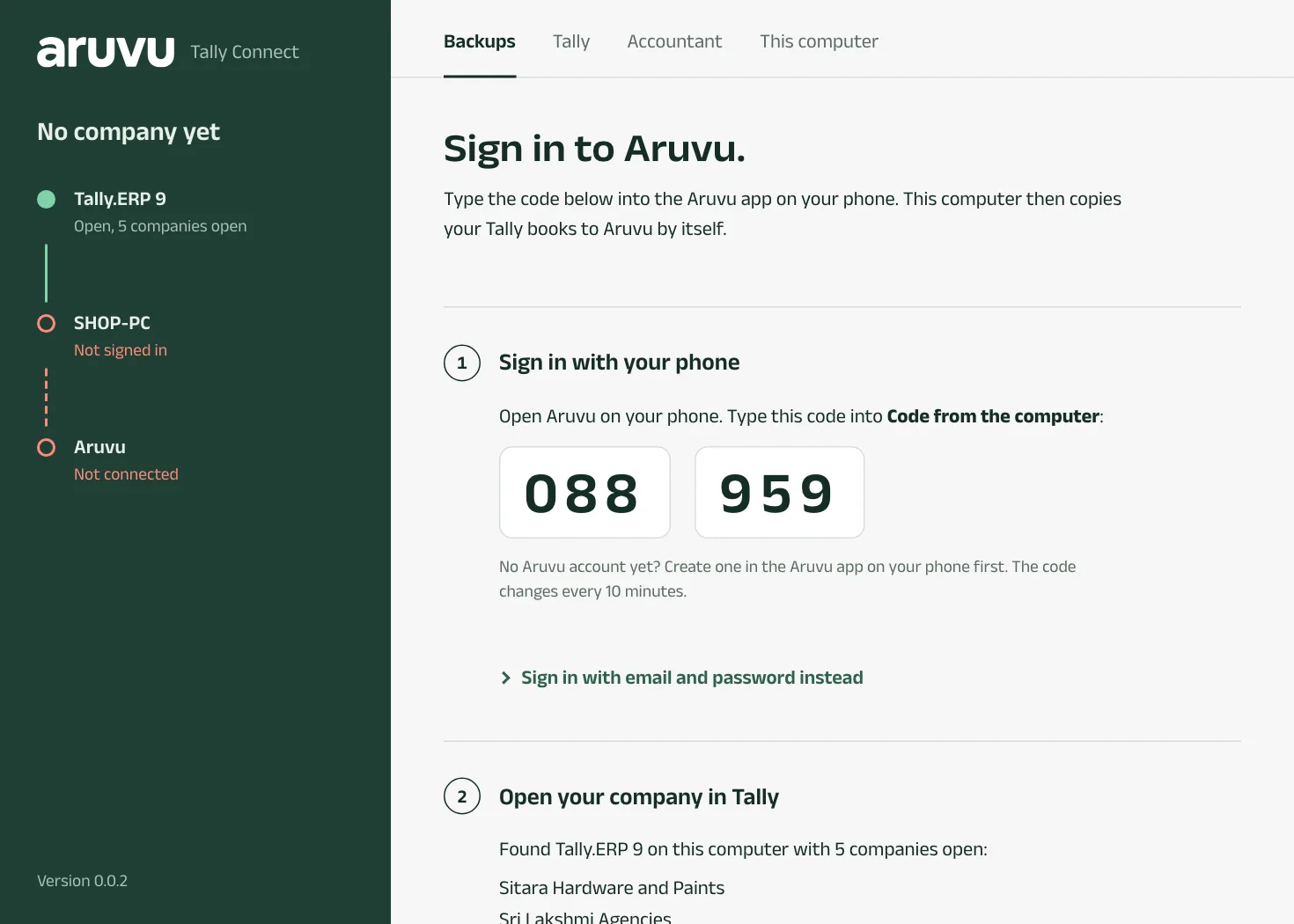
Aruvu Tally Connect shows a six-digit code under Sign in with your phone. Below it, Open your company in Tally lists the Tally it found and the companies open in it.
The code works for ten minutes. A new one appears by itself.
-
Step 3: Type the code in the app on your phone
In Aruvu, on Bring your Tally books here, type the code into Code from the computer. Aruvu names the computer it found. Tap Connect this computer.
Later, the same box is in Settings, under Shop computer.

-
Step 4: Wait for your books
Every company open in Tally is added to your account, and its first backup starts by itself. The app says Copying your books from Tally, then Books ready, and opens Home. There is nothing to press.
A company you open in Tally later is added the same way.

-
Step 5: Leave it running
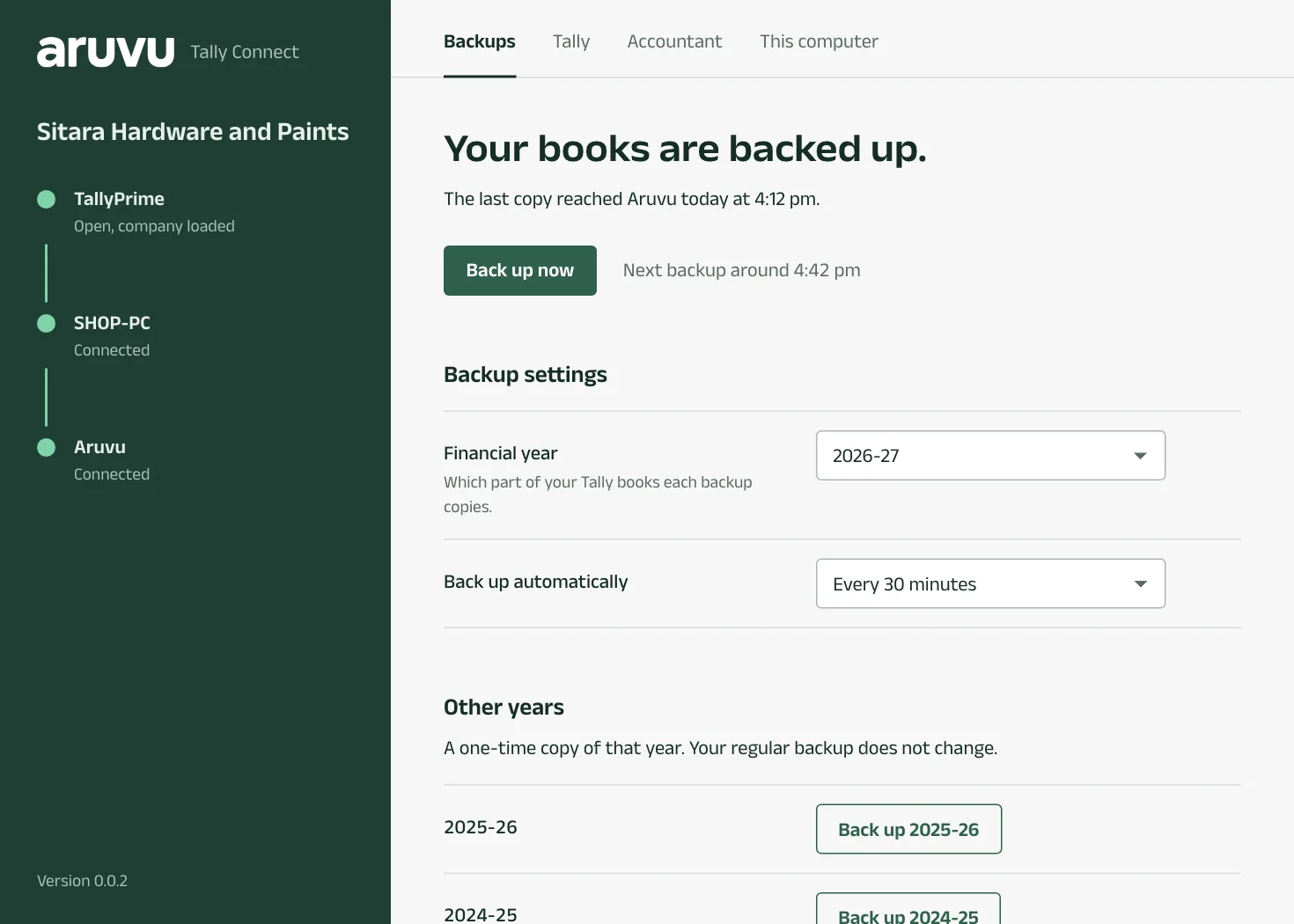
From now on Aruvu Tally Connect backs up by itself while the computer is on, and its window says Your books are backed up. with the time of the next one. It also sits in the system tray.
Questions
- The code stopped working. What do I do?
- A code works for ten minutes. Aruvu Tally Connect shows a new one by itself. Type the one on the screen now.
- My phone is not with me. Can I still sign in?
- Yes. In Aruvu Tally Connect, choose Sign in with email and password instead.
- Can I move Aruvu to a new shop computer?
- Yes. Install Aruvu Tally Connect on the new computer and type its code in Settings, under Shop computer. The new computer takes over. Disconnect this computer removes the old one.
The pictures show Sitara Hardware and Paints, an invented shop. Its customers, suppliers and figures are made up.