
How Aruvu backs up your Tally books
Aruvu reads your books from Tally on the shop computer and keeps a backup that your phone and browser open. Here is when that happens and how to check it.
-
Step 1: Backups happen by themselves
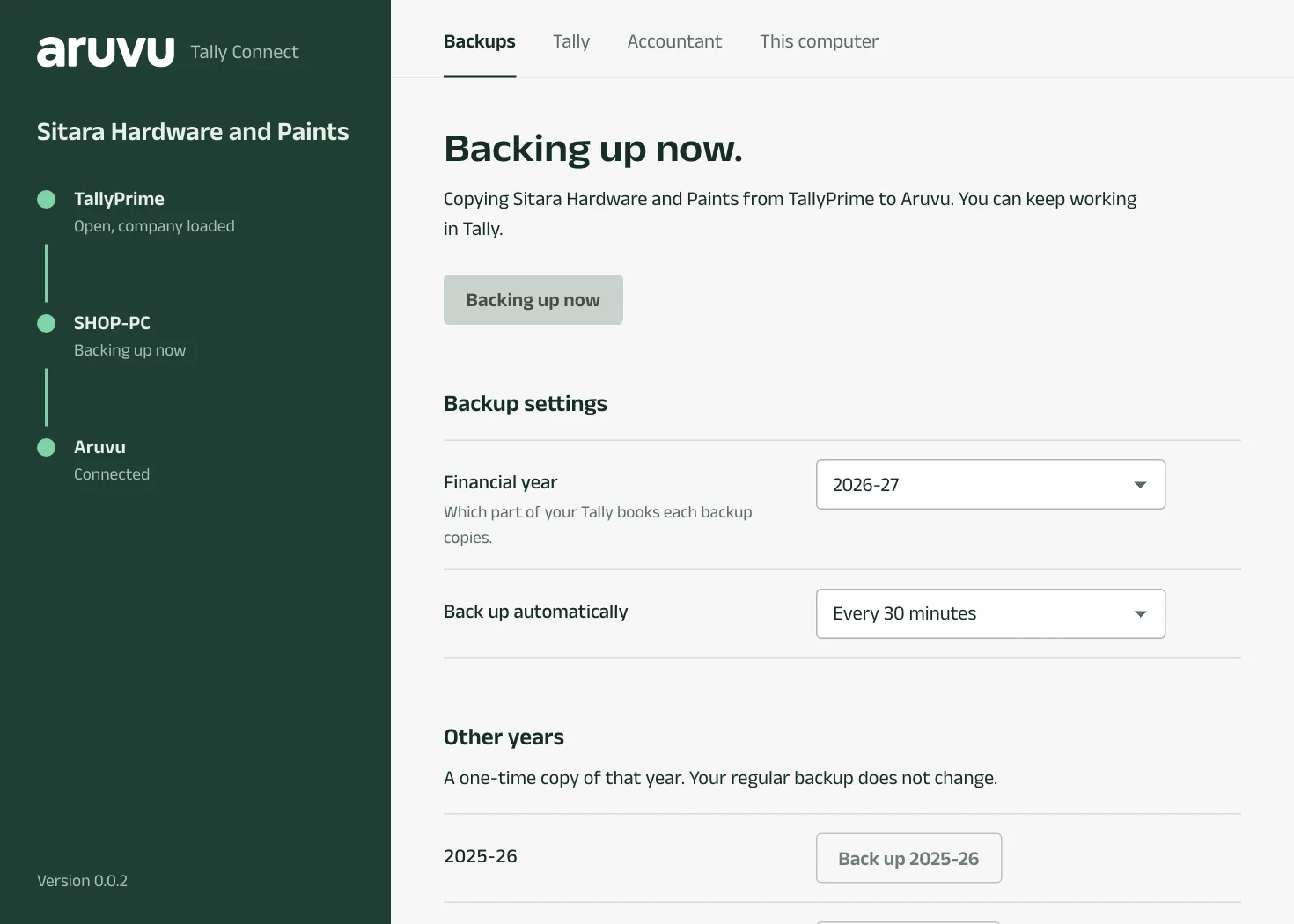
While the shop computer is on with Tally open, Aruvu Tally Connect backs up the company about every 30 minutes. Reading never changes anything in Tally. While a backup runs, the window says Backing up now.
-
Step 2: See when the last backup was
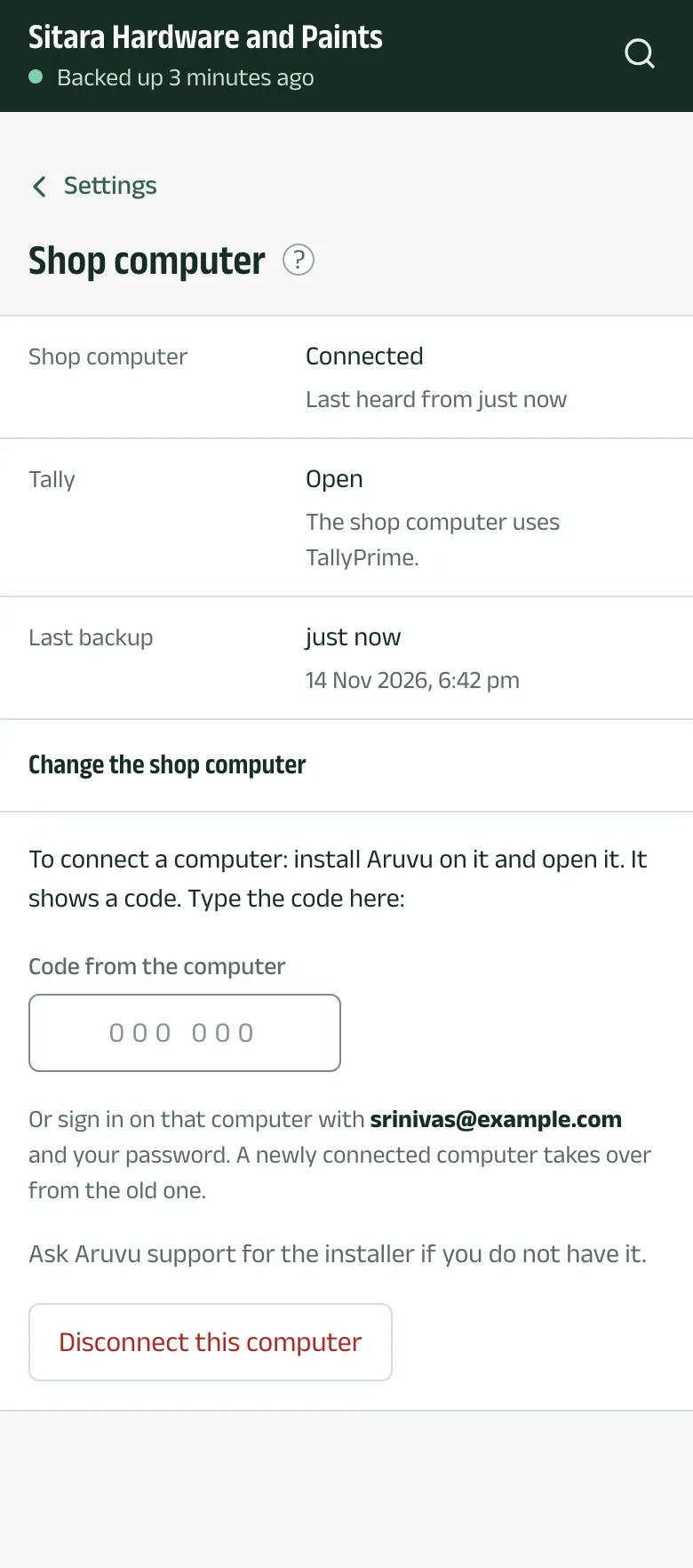
Every screen in the app shows it under the company's name, for example Backed up 2 minutes ago. Settings, under Shop computer, shows whether the computer is connected, whether Tally is open and the time of the last backup.
-
Step 3: Back up now
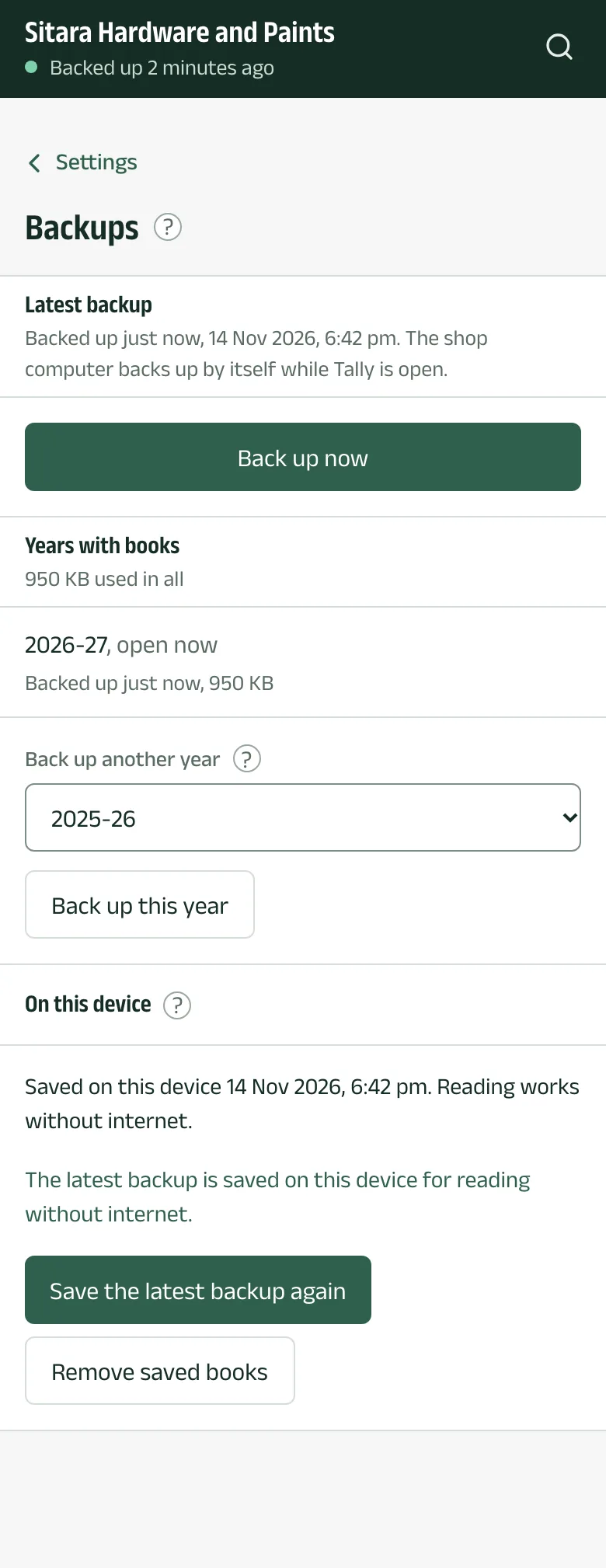
Want today's last entries before you call a customer? In Settings, under Backups, tap Back up now. Owners and managers can do this. The backup finishes when the shop computer has read Tally.
At the shop computer, Back up now in Aruvu Tally Connect does the same.
-
Step 4: Choose the year, or pause
In Aruvu Tally Connect, Backup settings holds the Financial year to back up (or All years in Tally) and Back up automatically. Earlier years can be backed up once each from Other years, or from the app under Backups with Back up another year. When a company has two or more years, a Year picker appears at the top of the app.
Questions
- Does the shop computer have to stay on?
- Only for fresh figures and for making bills. While it is off, the app shows the books as of the last backup and says when that was.
- Does a backup slow down Tally?
- A backup reads from Tally for a short while. After the first one, only what changed is sent to Aruvu.
The pictures show Sitara Hardware and Paints, an invented shop. Its customers, suppliers and figures are made up.