
Turn on Tally invoice PDFs and company file backups
Two extras each need a small TDL file loaded in Tally: invoice PDFs in Tally's own layout, and complete company file backups for your accountant. Aruvu Tally Connect prepares the files; you load each one once.
Before you start
- The shop computer, connected, with Tally open.
- For company file backups: Tally's data folder and the company's folder number.
-
Step 1: Prepare the file for invoice PDFs
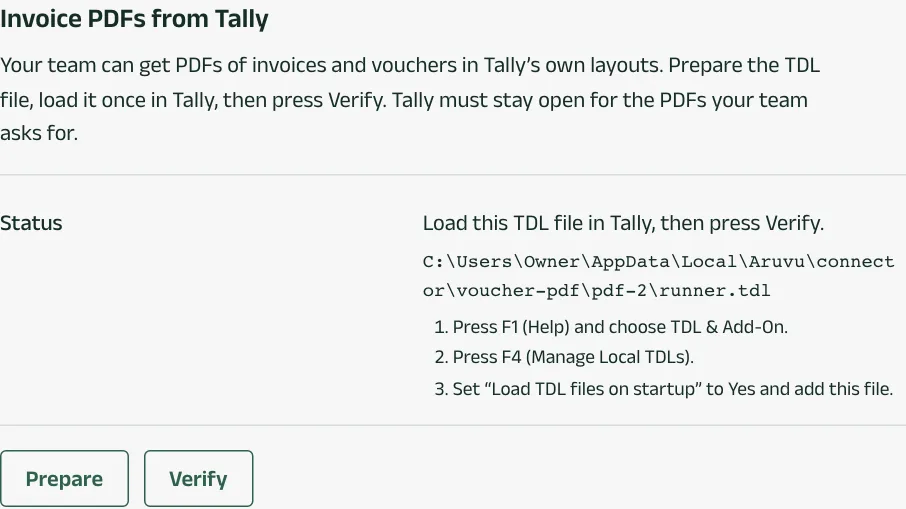
On the shop computer, open Aruvu Tally Connect and go to the Tally tab. Under Invoice PDFs from Tally, choose Prepare. The window shows this file's path and how to load it.
-
Step 2: Prepare the file for company file backups
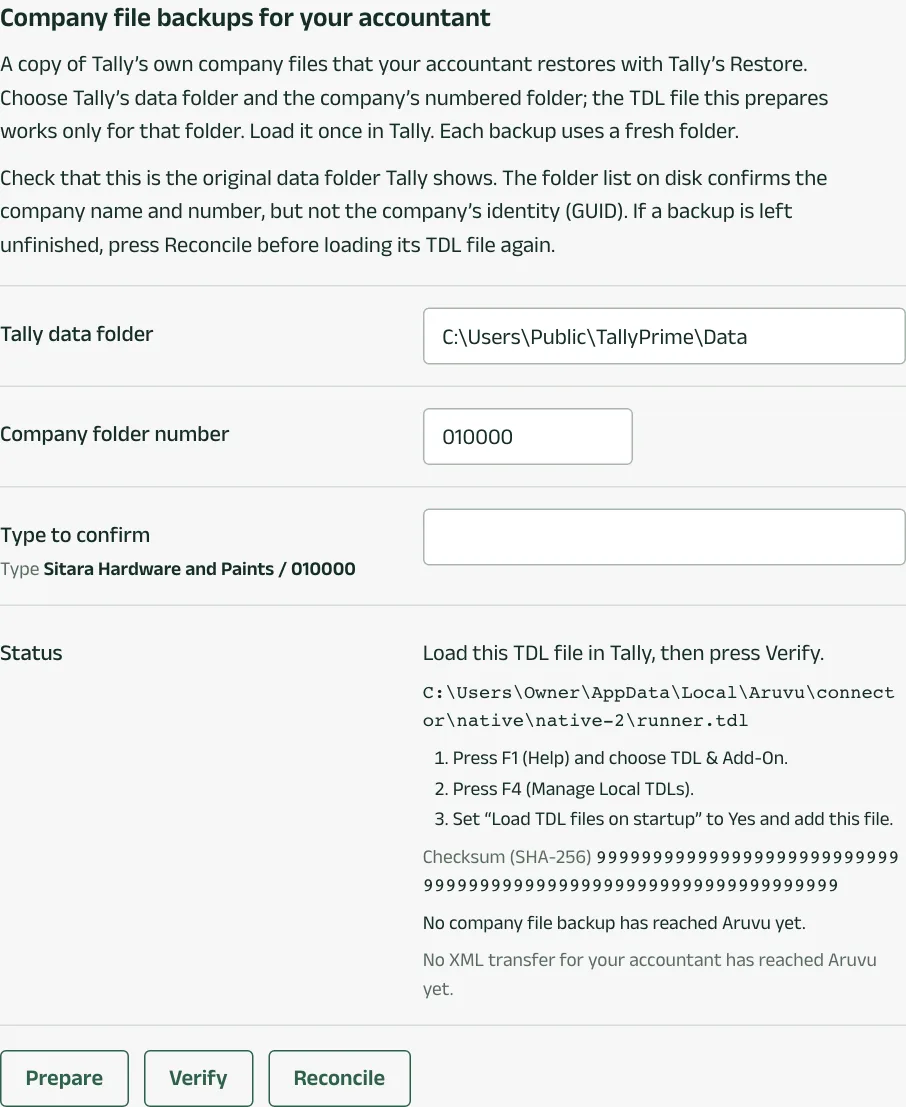
Under Company file backups for your accountant, fill in:
- Tally data folder: where Tally keeps its companies, for example
C:\Users\Public\TallyPrime\Data. - Company folder number: the company's number in Tally's company list, six digits on TallyPrime (for example 010000) and five on Tally.ERP 9.
- Type to confirm: the company's name and number exactly as the window shows them.
Choose Prepare. This is a second file, separate from the invoice PDF one, and it works only for that company's folder.
- Tally data folder: where Tally keeps its companies, for example
-
Step 3: Load the file in TallyPrime
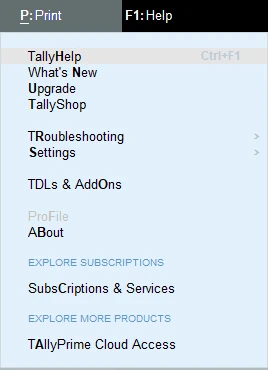
- Press F1 (Help) and choose TDLs & AddOns.
- Press F4 (Manage Local TDLs).
- Set Load selected TDL files on startup to Yes. Under TDL Path, add each file Aruvu Tally Connect prepared as its own line: the invoice PDF file and the company file backup file.
- Accept.
In Tally.ERP 9, press F12 (Configure), choose Product & Features, then F4 (Manage Local TDLs), and do the same.

-
Step 4: Verify
Back in Aruvu Tally Connect, choose Verify in each section. It says Verified. Invoice PDFs are on. and Verified. Company file backups now run with your regular backups. From then on, Tally print layout works on an invoice in the app, and your accountant can download the company.
Questions
- A company file backup was left unfinished. What now?
- Backups pause until it is finished. Choose Reconcile in the same section; nothing is repeated.
- Does loading the file change my books?
- No. Loading it does not start a backup or change any entry. It lets Aruvu ask Tally for a printout or a copy of the company files.
The pictures show Sitara Hardware and Paints, an invented shop. Its customers, suppliers and figures are made up.