
For accountants: restore a client's company copy in your Tally
With accountant access, you can take the client's whole company into your own Tally. Your work on that copy changes nothing on the client's computer.
Before you start
- Accountant access to the client's company in Aruvu.
- The owner has turned on company file backups in Aruvu Tally Connect on the shop computer.
- Aruvu Tally Connect and Tally on your own computer.
-
Step 1: Check that a copy is ready
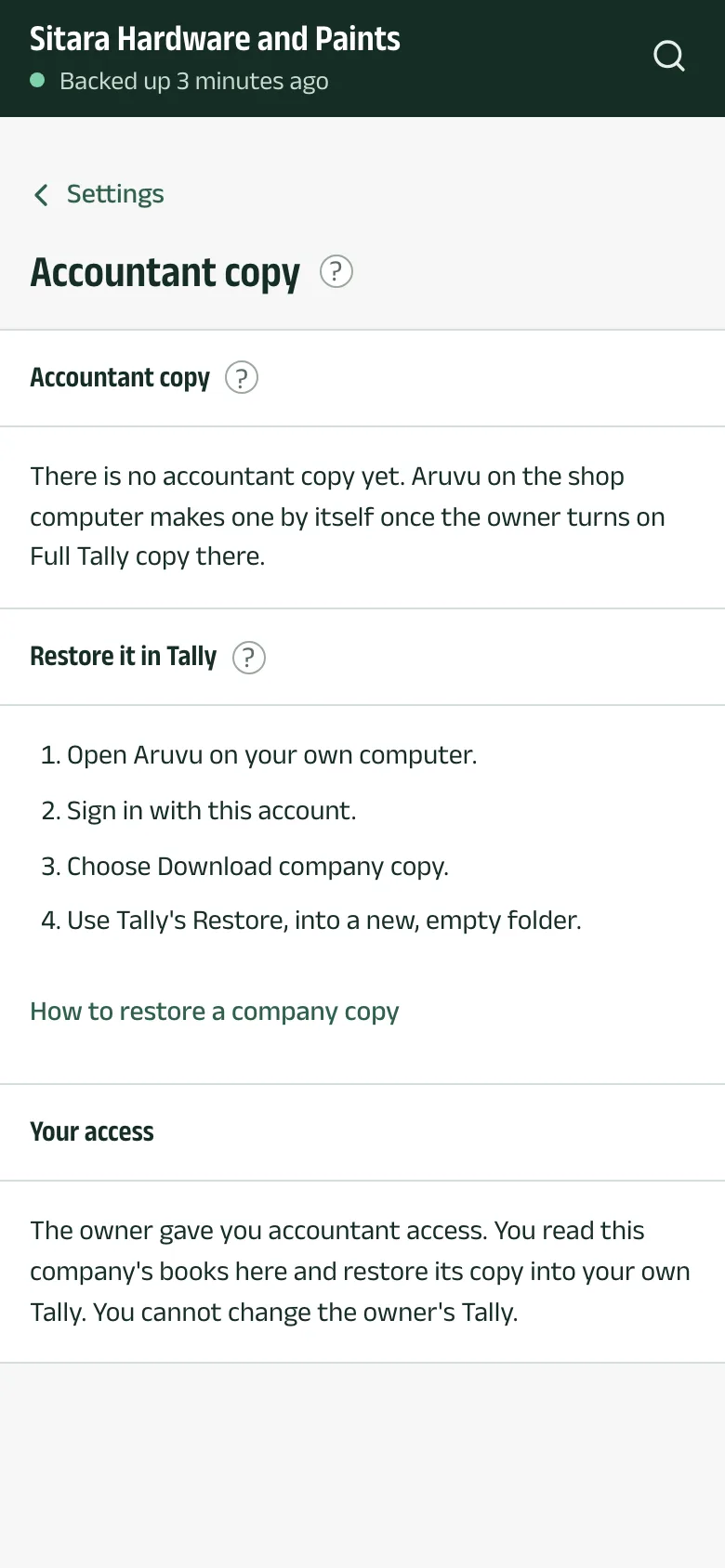
In the app, open Settings and choose Accountant copy. It says whether a copy is ready. If there is none yet, the client's shop computer makes one by itself once the owner turns it on: in Aruvu Tally Connect, on the Tally tab, under Company file backups for your accountant (how to turn it on).
-
Step 2: Download it on your computer
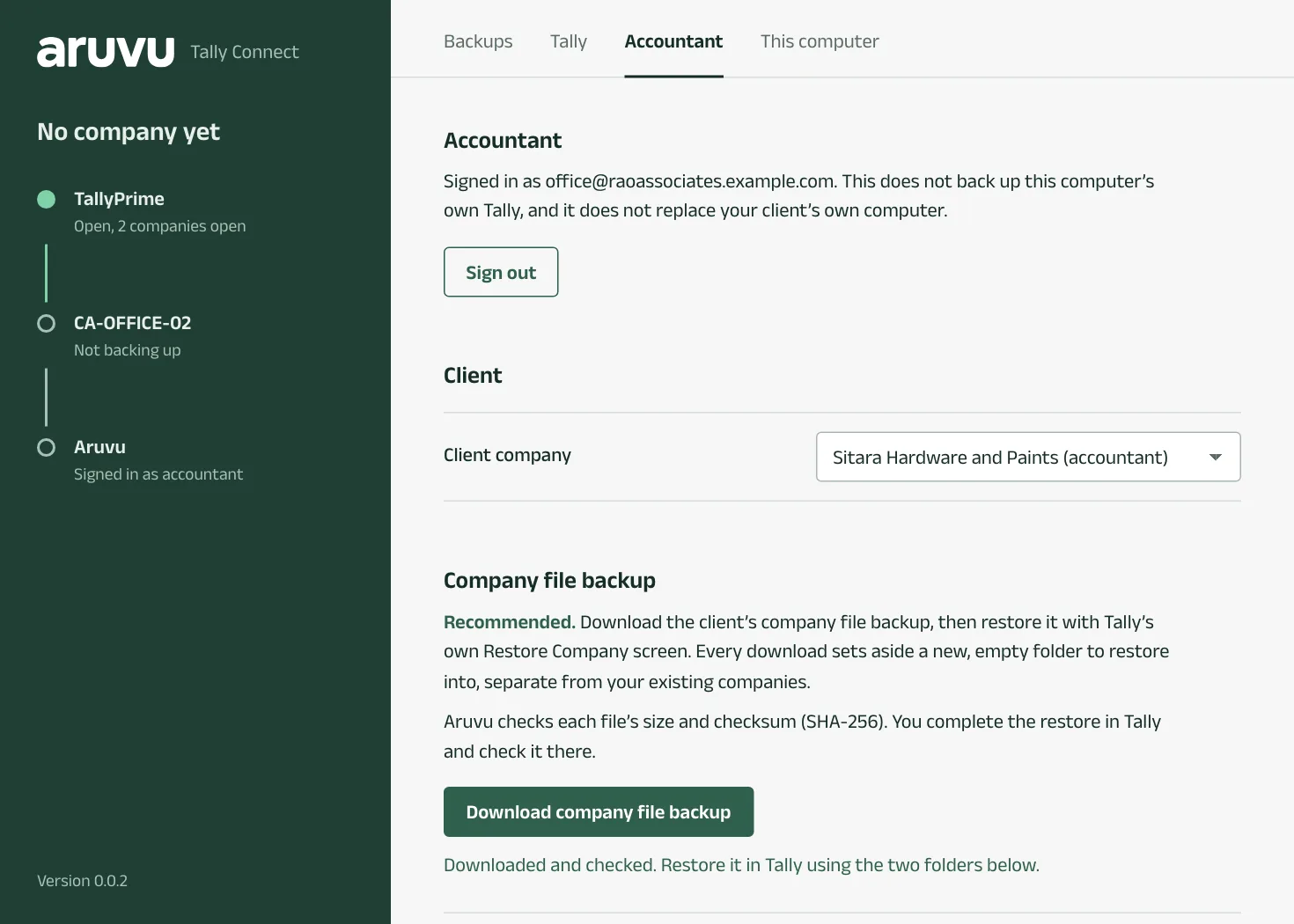
Open Aruvu Tally Connect on your own computer and go to the Accountant tab. Sign in with your Aruvu account on that tab; this does not back up your own Tally. Choose the Client company, then Download company file backup. Aruvu checks each file's size and checksum and says Downloaded and checked.
-
Step 3: Restore it with Tally's own Restore
The window shows two folders, each with Copy: Restore from and Restore into, a new, empty folder set aside for this download.
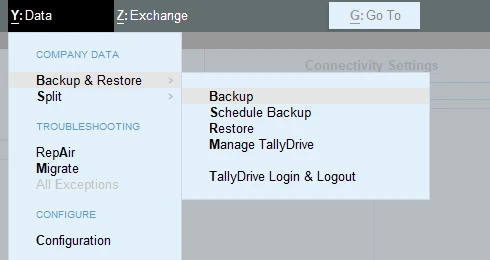
- In TallyPrime, press Alt+Y (Data), choose Backup & Restore, then Restore.
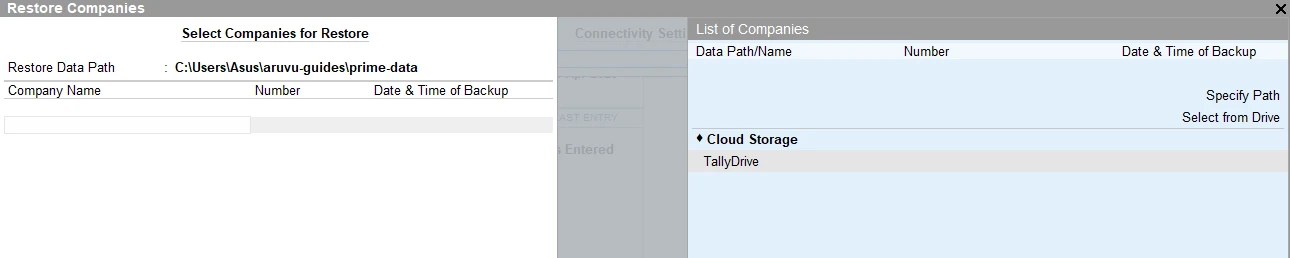
- Restore Data Path, at the top, is where the company goes. Change it with Specify Path to the new, empty restore-into folder.
- In List of Companies, choose Specify Path and paste the restore-from folder.
- Select the client's company, restore it, then open it and check its reports.
Questions
- Does restoring overwrite my other companies?
- No. Every download gets its own new, empty folder to restore into, separate from your existing companies.
The pictures show Sitara Hardware and Paints, an invented shop. Its customers, suppliers and figures are made up.