
Give your staff and accountant their own access
Give people the books, not your password. Each person signs in as themselves and sees only what their role allows.
Before you start
- The owner's account.
- The other person's email address.
-
Step 1: Open People
Open Settings (under More on a phone) and choose People. Only owners see it.
-
Step 2: Choose what they can do
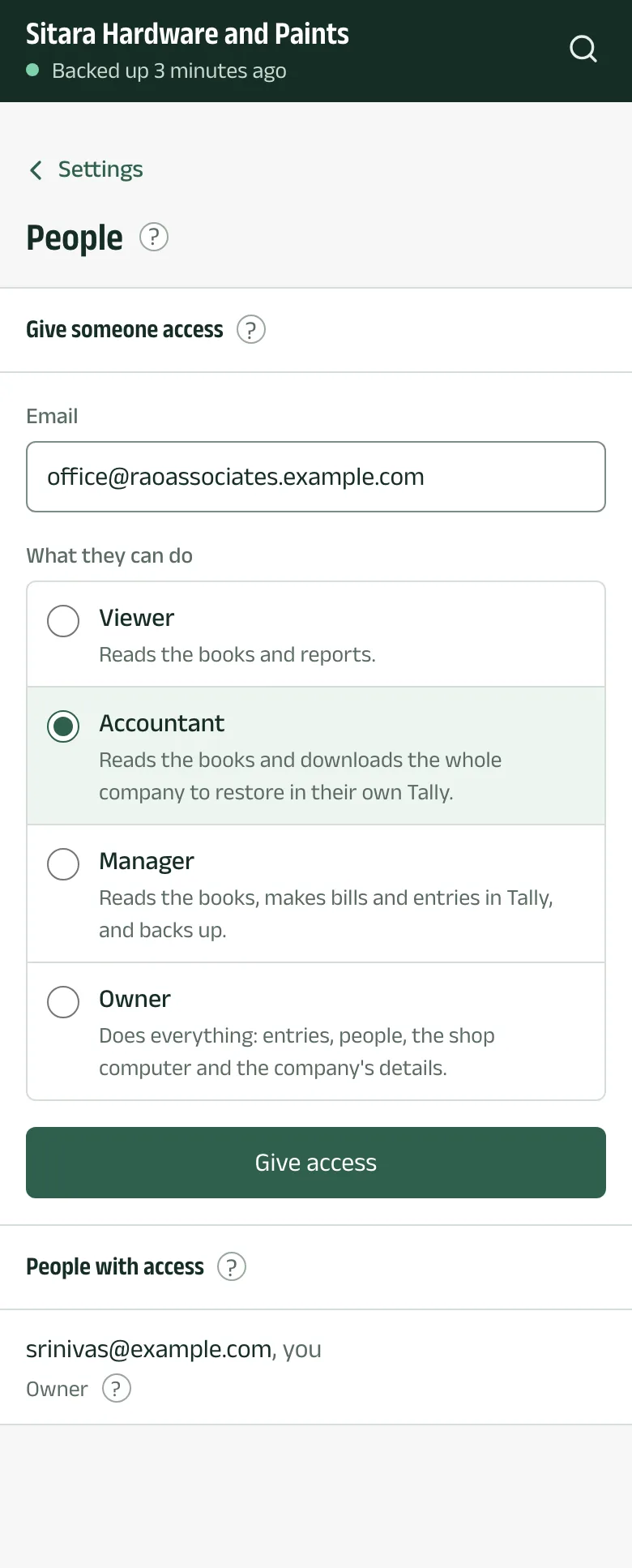
Under Give someone access, type their Email and choose a role:
- Viewer reads the books and reports.
- Accountant reads the books and downloads the whole company to restore in their own Tally.
- Manager reads the books, makes bills and entries in Tally, and backs up.
- Owner does everything: entries, people, the shop computer and the company's details.
Tap Give access.
-
Step 3: They accept
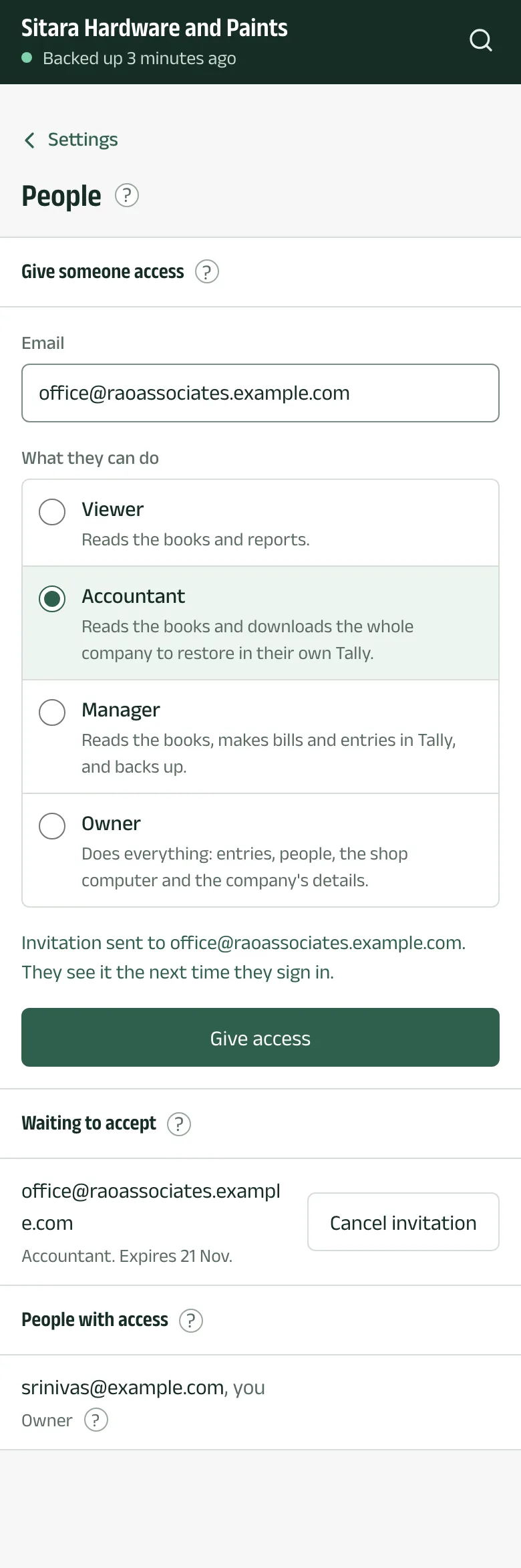
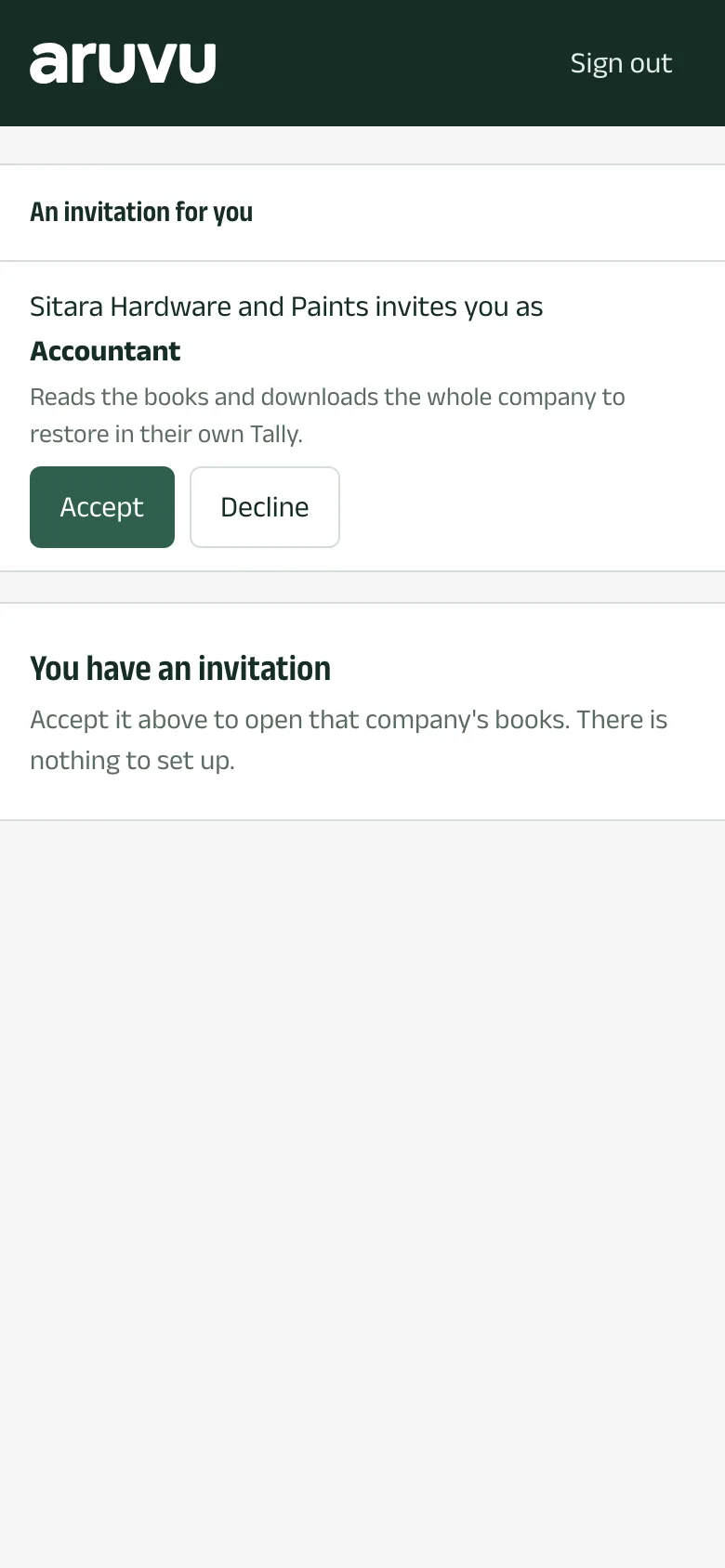
The invitation waits under Waiting to accept for seven days; Cancel invitation withdraws it. The person signs in to Aruvu with that email (or creates an account with it) and taps Accept.
-
Step 4: Remove access
Under People with access, choose Remove access beside a person and confirm. They lose the company at once.
The pictures show Sitara Hardware and Paints, an invented shop. Its customers, suppliers and figures are made up.