
Create your Aruvu account
Everything starts with an account. You do not add a company by hand. Once the shop computer is connected, every company open in Tally is added to your account by itself.
Before you start
- Your email address.
-
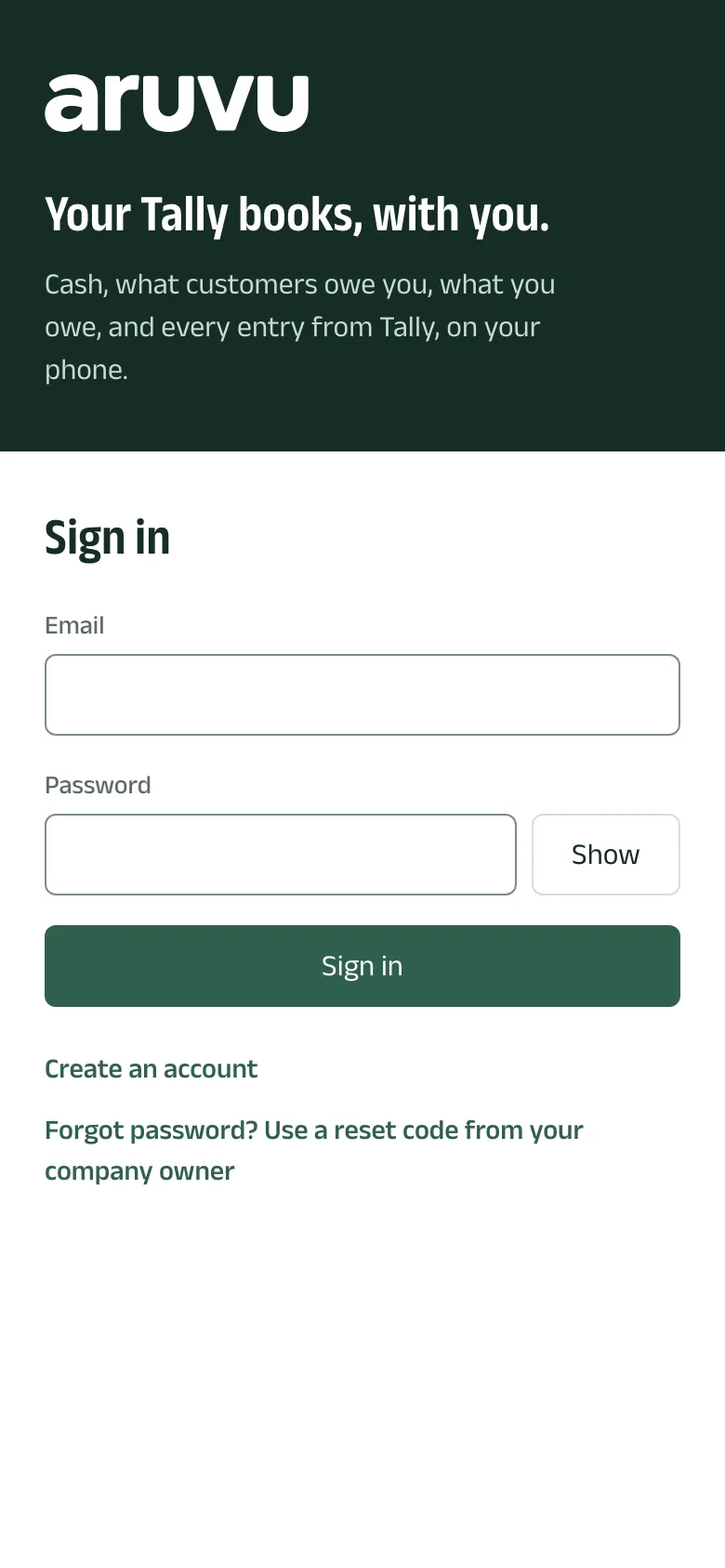
Step 1: Open Aruvu and choose Create an account
Open the Aruvu app on your phone, or go to app.aruvu.in in any browser. On the sign-in screen, tap Create an account.
-
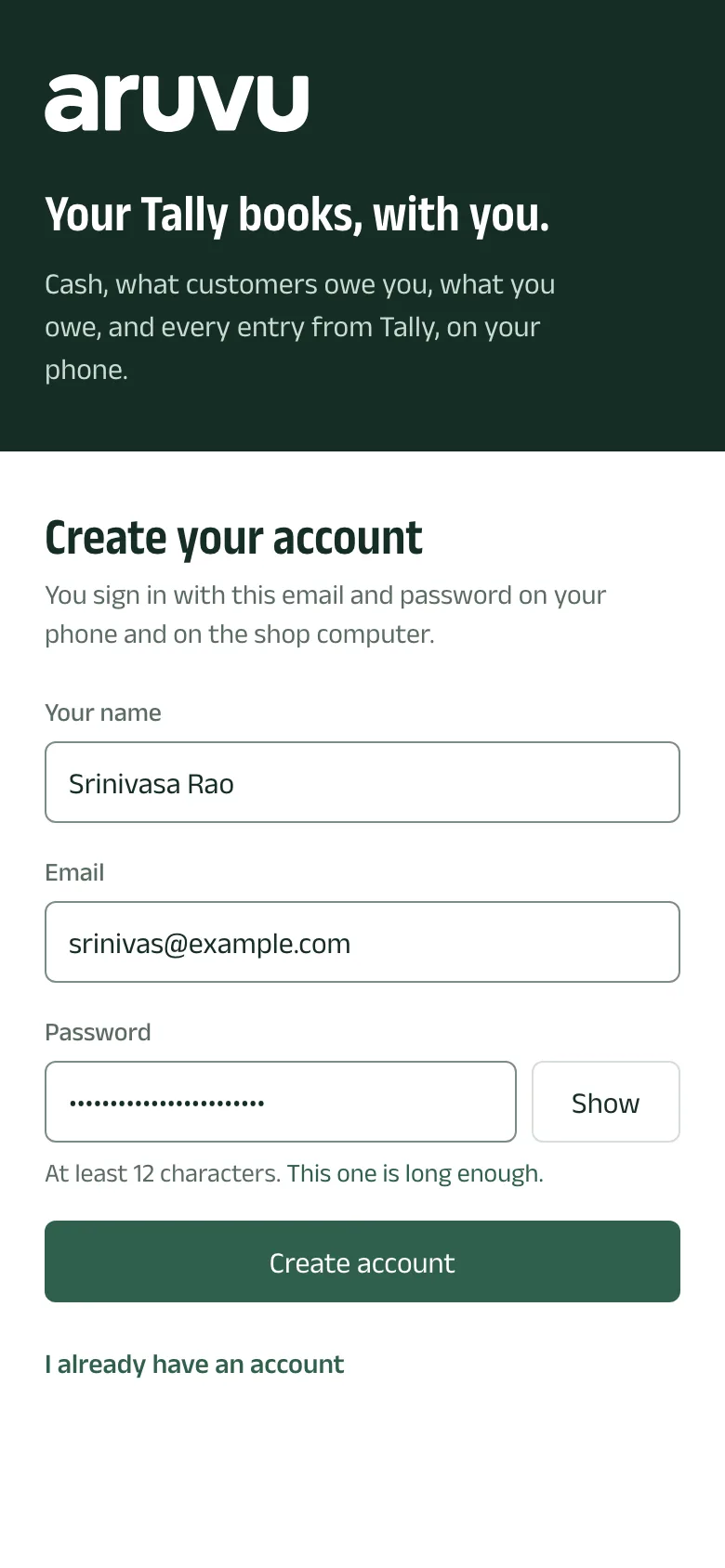
Step 2: Enter your name, email and a password
Fill in Your name, Email and Password. A password needs at least 12 characters. Tap Create account.
You sign in with the same email and password on every phone you use.
-
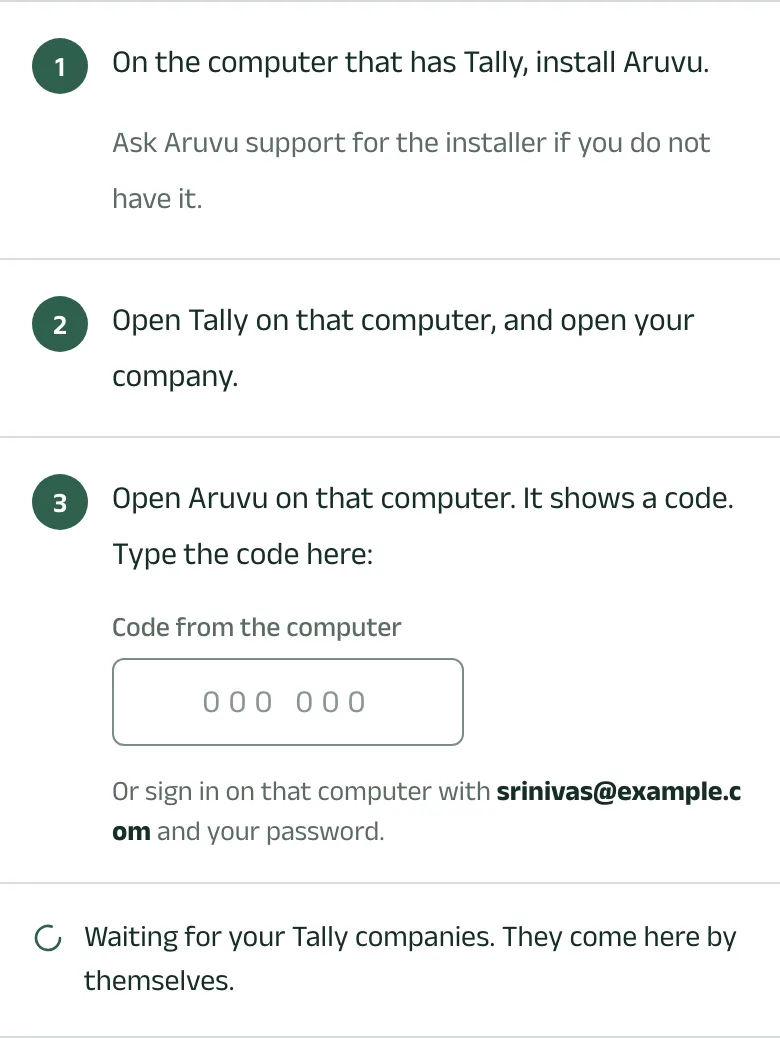
Step 3: See what to do at the shop computer
Aruvu now shows Bring your Tally books here: install Aruvu on the computer that has Tally, open Tally with your company, and type the code that computer shows. The next guides take you through each one.
The line Waiting for your Tally companies stays until the first company arrives. You can close the app meanwhile.
Questions
- Do I type my company's name?
- No. Aruvu reads the name from Tally when the shop computer is connected, so it cannot be mistyped.
- Can I have more than one company?
- Yes. Every company open in Tally on the shop computer is added to your account. Tap the company's name at the top of the app to move between them.
The pictures show Sitara Hardware and Paints, an invented shop. Its customers, suppliers and figures are made up.