
Let Aruvu talk to TallyPrime or Tally.ERP 9
Aruvu Tally Connect reads your books through Tally's own connection for other programs. It is off in a new Tally. Turn it on once and restart Tally.
Before you start
- The shop computer with Tally installed.
- Your company open in Tally.
-
Step 1: In TallyPrime
- Press F1 (Help), choose Settings, then Connectivity.
- Open Client/Server configuration. Set TallyPrime acts as to Both and Enable ODBC to Yes.
- Note the Port. TallyPrime uses 9000 unless someone changed it.
- Accept. TallyPrime asks Restart TallyPrime to apply the changes? Choose Yes, and open your company again.
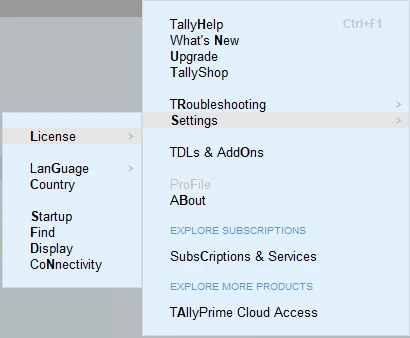
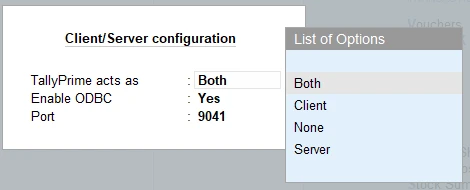
This Tally uses port 9041. Yours shows its own, usually 9000. 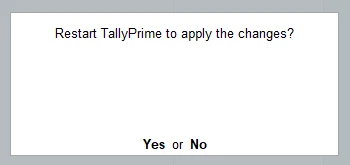
-
Step 2: In Tally.ERP 9
- At the Gateway of Tally, press F12 (Configure) and choose Advanced Configuration.
- Under Client/Server Configuration, set Tally.ERP 9 is acting as to Both and Enable ODBC server to Yes.
- Note the Port, usually 9000.
- Accept, then restart Tally.ERP 9 with your company open.
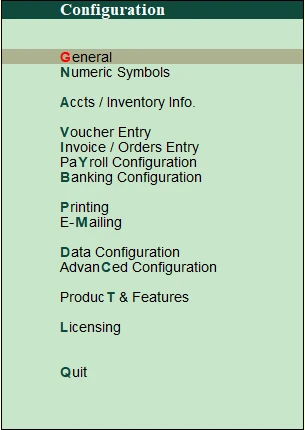
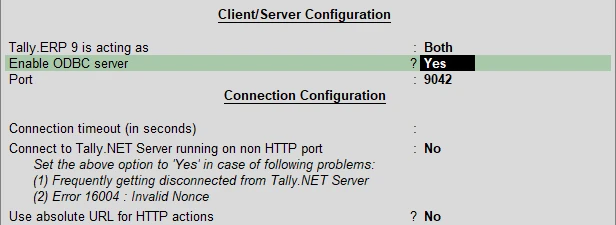
This Tally uses port 9042. Yours shows its own, usually 9000. -
Step 3: Check that Aruvu Tally Connect finds Tally
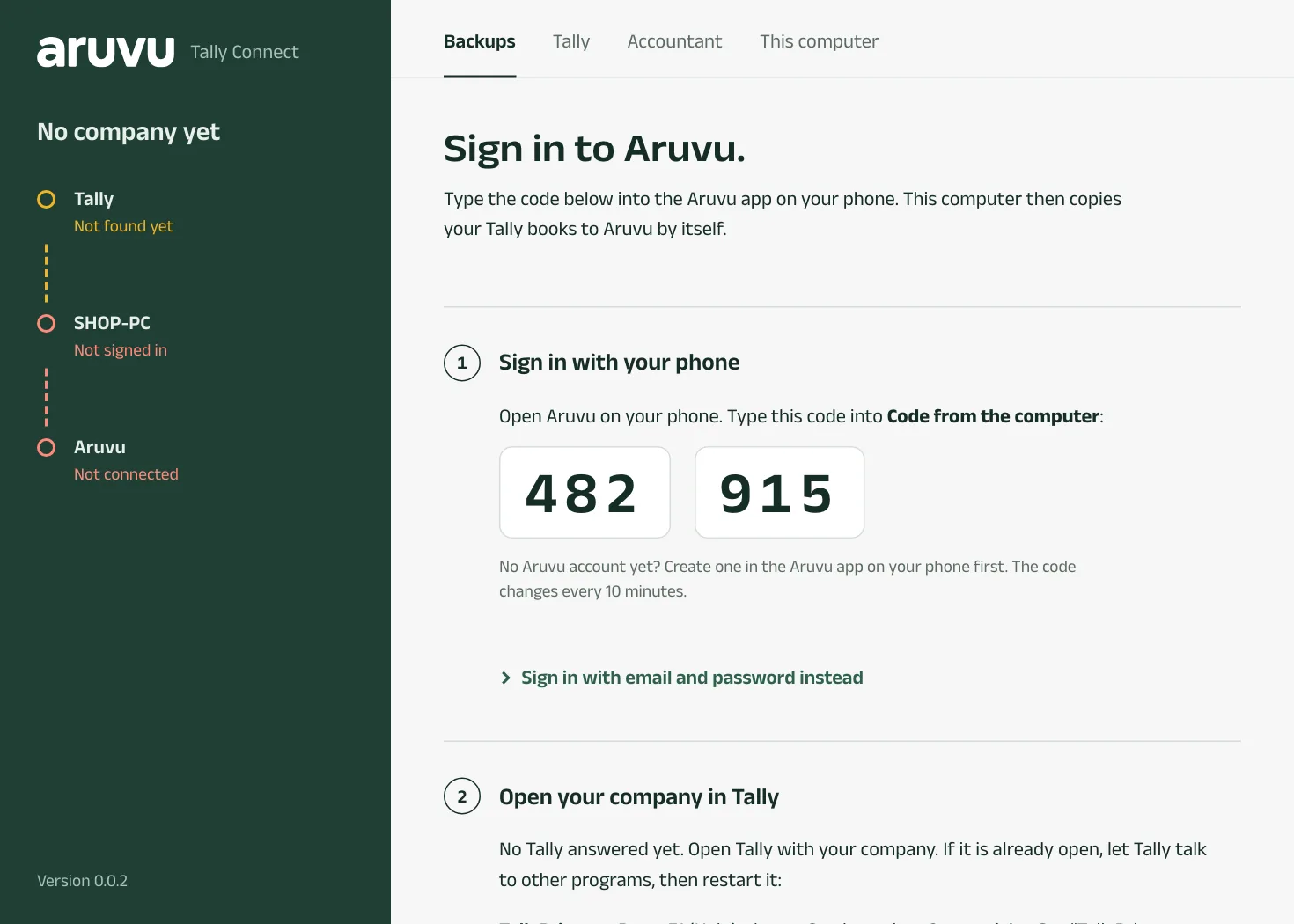
Open Aruvu Tally Connect on the same computer. It looks for Tally by itself every few seconds. While nothing answers, the window shows No Tally answered yet with these same steps. Once Tally answers, the first station on the left turns green and shows which Tally it found and how many companies are open.
You choose nothing: Aruvu Tally Connect recognises TallyPrime and Tally.ERP 9 by itself.
-
Step 4: If Tally runs on another computer
Aruvu Tally Connect works best on the computer that runs Tally. If Tally is elsewhere on your shop's network, open Tally is on another computer in the window, type that computer's name or address and the port, and choose Save. Use Tally on this computer goes back.
Questions
- Does this put Tally on the internet?
- No. Tally's port is only reachable inside your shop. Aruvu Tally Connect calls out to Aruvu over a normal internet connection, so you open nothing on your router.
- Another program already uses port 9000. What now?
- Choose a different port in Tally's settings and restart Tally. Aruvu Tally Connect looks on this computer's ports 9000 to 9020 by itself. For any other port, open Tally is on another computer and enter 127.0.0.1 with that port.
The pictures show Sitara Hardware and Paints, an invented shop. Its customers, suppliers and figures are made up.