
Your Tally books at a glance: the Home screen
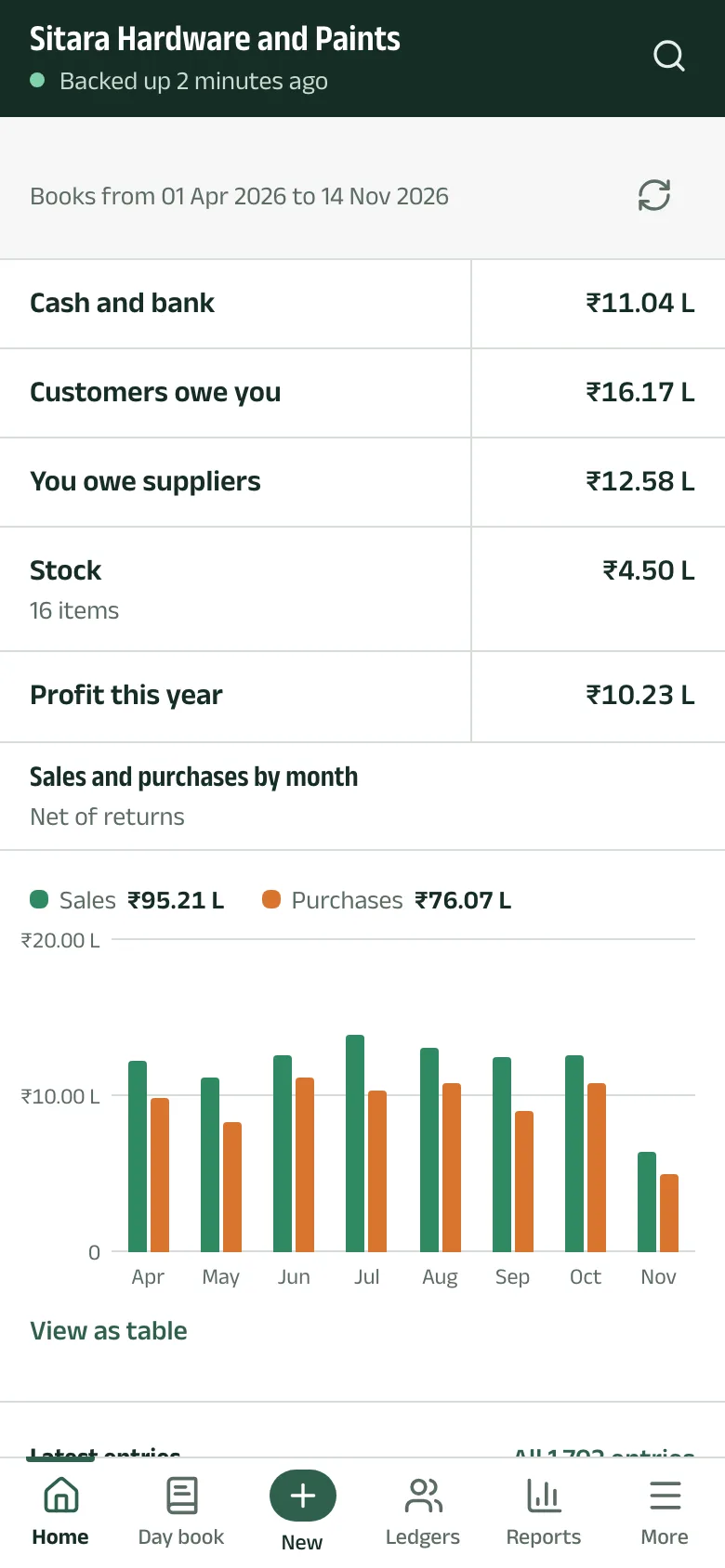
Home answers the questions a shop owner asks first. Every line opens the report behind it.
-
Step 1: The balances
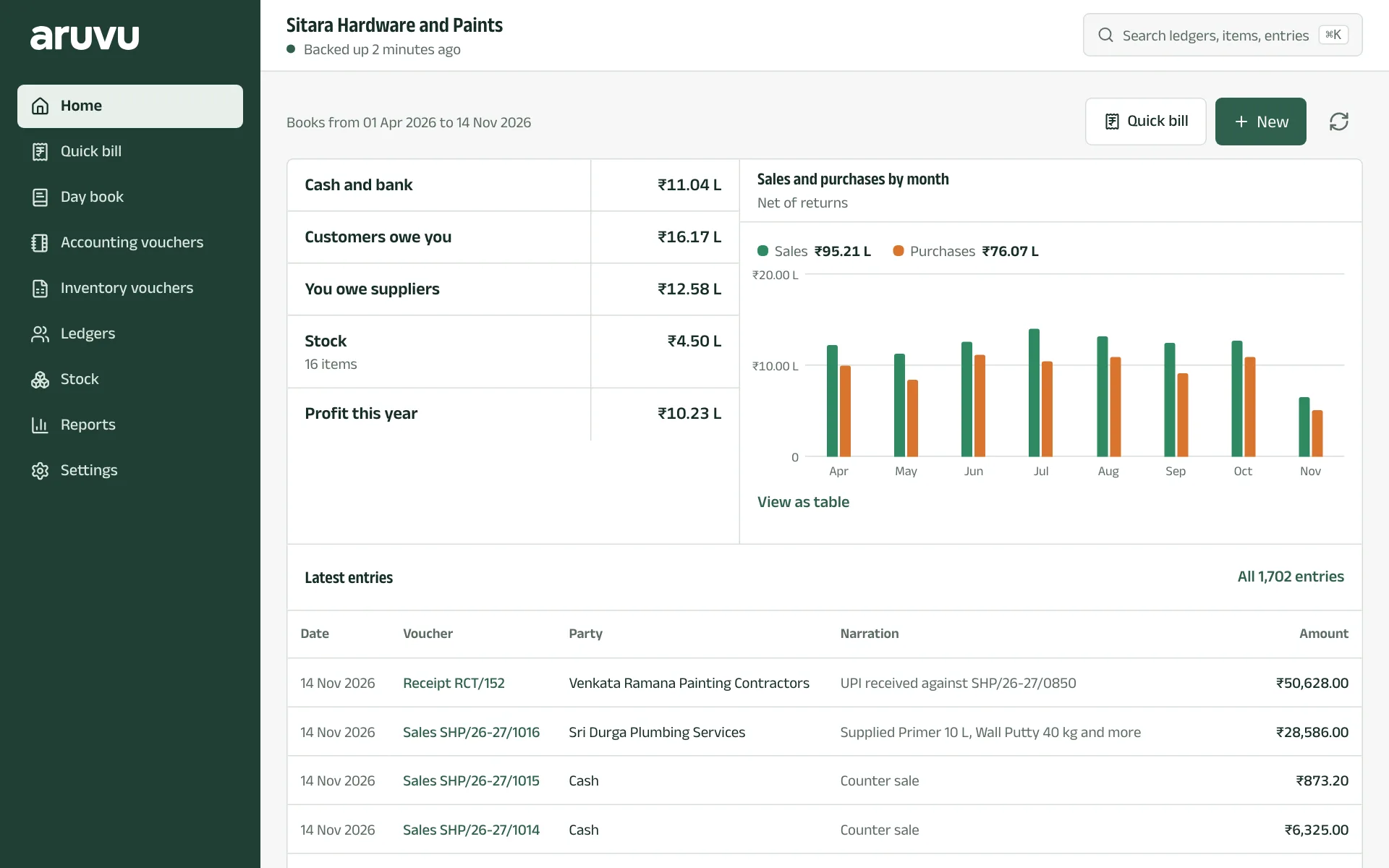
Under the company's name, Home lists Cash and bank, Customers owe you, You owe suppliers, Stock with the number of items, and Profit this year (or loss). Tap any line to open its report.
The line above says which dates the books cover, and the circular arrow refreshes them.
-
Step 2: Sales and purchases by month
The chart shows sales and purchases for each month of the year, net of returns. Tap a month to see its figures, or View as table for the numbers.
Latest entries lists the newest vouchers; All entries opens the day book.
-
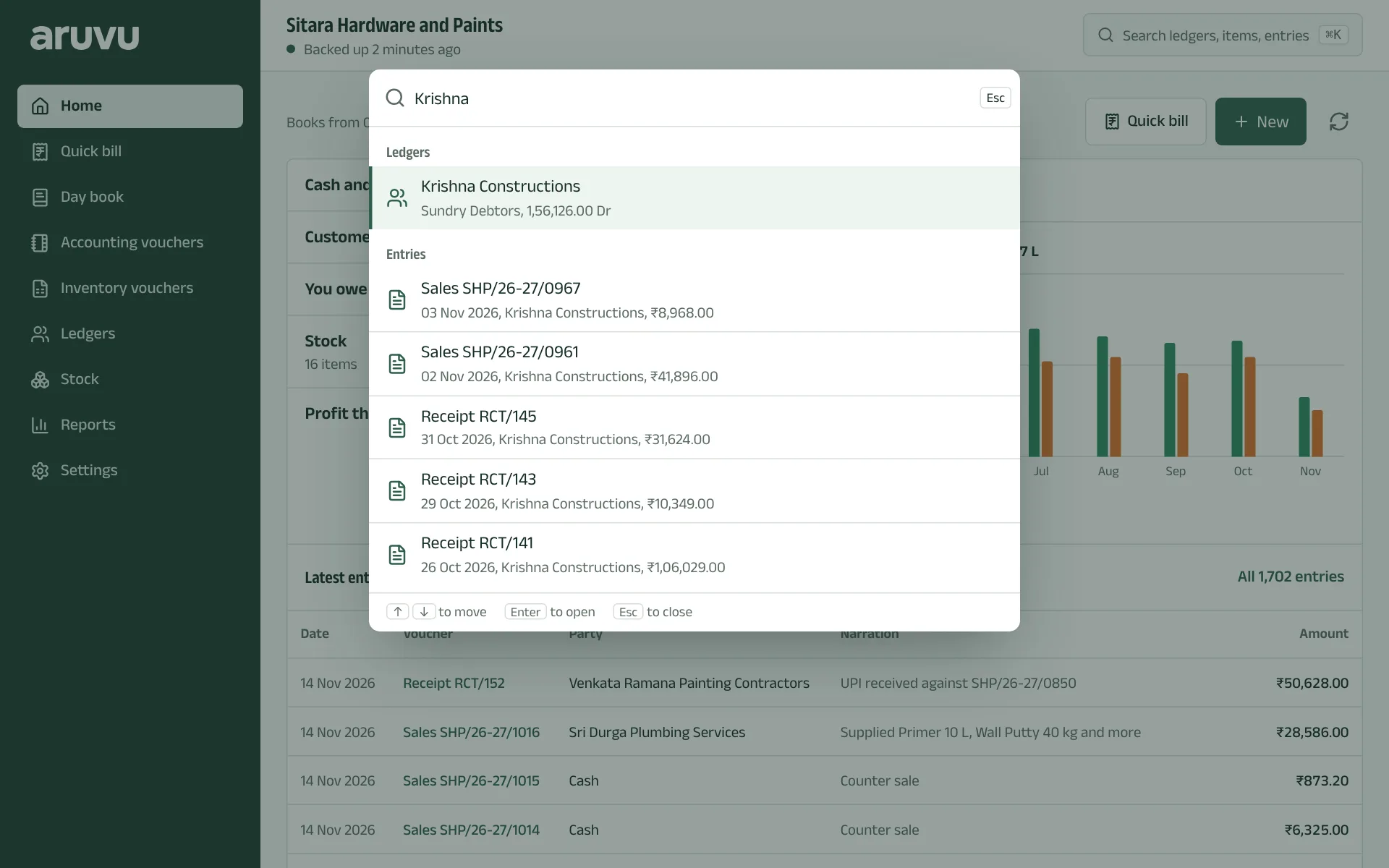
Step 3: Find anything
The search box at the top, Search ledgers, items, entries, finds a ledger, a stock item, a voucher or a report by name or number. On a computer, press Ctrl K (⌘ K on a Mac). On a phone, tap the magnifying glass.
-
Step 4: Move around
On a phone, the tabs at the bottom are Home, Day book, Ledgers and Reports, with New in the middle for entries and More for the rest. On a computer, the same places are in the side bar.
The pictures show Sitara Hardware and Paints, an invented shop. Its customers, suppliers and figures are made up.