
Read your books without internet
In the godown, on the road or in a power cut, your books still open. Aruvu keeps the latest backup on the device you use.
-
Step 1: The copy saves itself
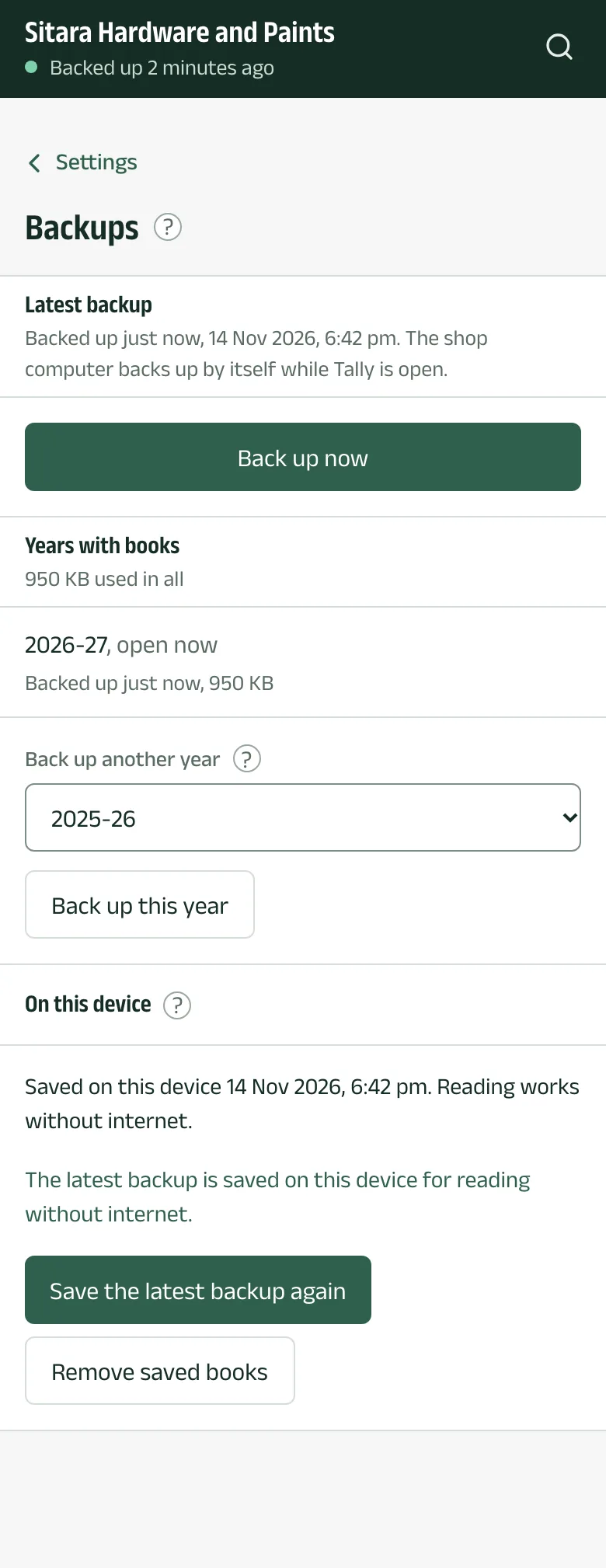
After you sign in, and whenever a new backup arrives, Aruvu saves it on the device. Settings, under Backups, in On this device, says when: for example Saved on this device with the date. Save the latest backup again saves it now.
-
Step 2: Open the app without a connection
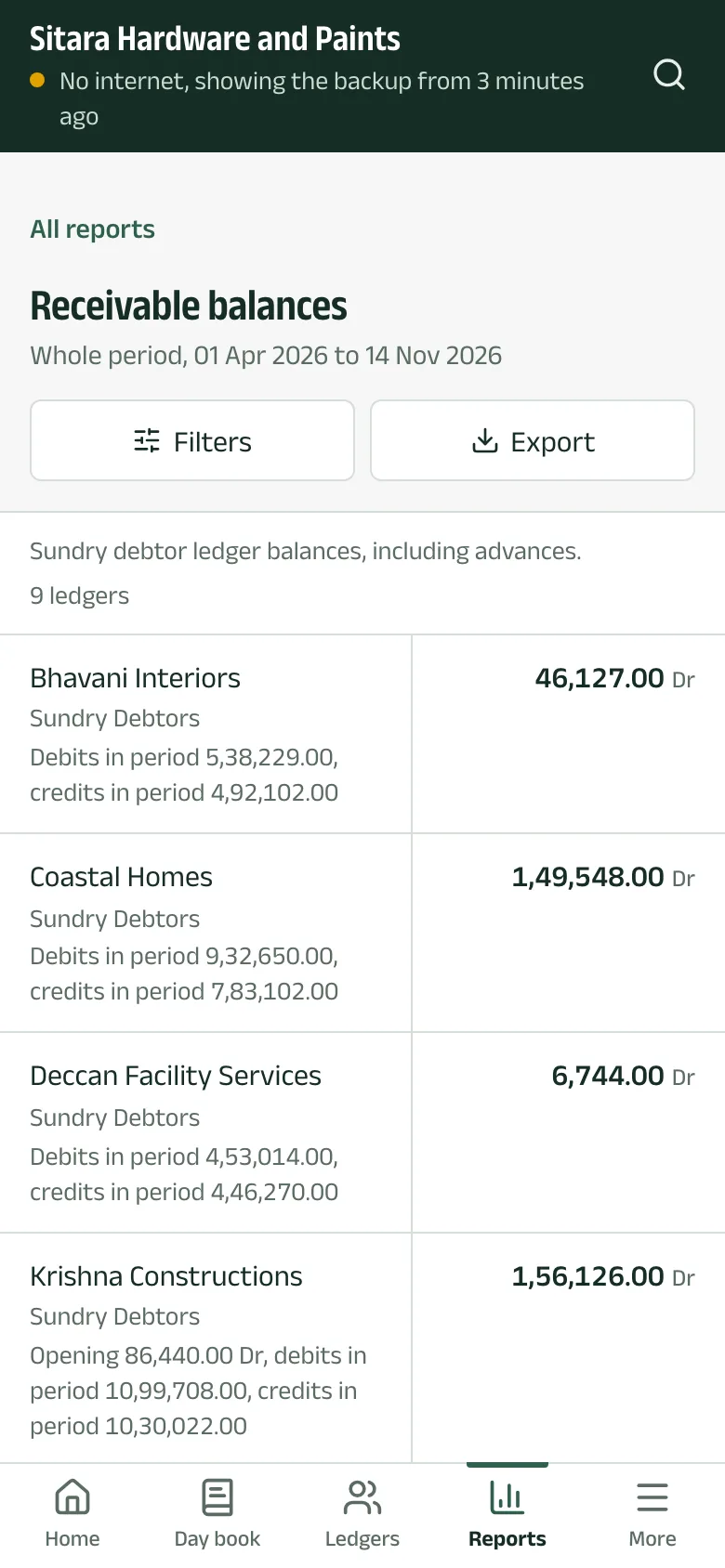
With no connection, the top of the screen says so and which backup you are reading. Ledgers, stock, every report and their exports work as usual.
-
Step 3: What needs a connection
Making a bill or an entry needs a connection, because it is saved in Tally on the shop computer. So does a newer backup.
Questions
- Is the saved copy safe?
- It is read-only and stays in the app's storage on that device. Signing out removes it, and Remove saved books removes it at once.
The pictures show Sitara Hardware and Paints, an invented shop. Its customers, suppliers and figures are made up.