
Profit and loss, balance sheet and trial balance on your phone
The financial statements come from the same figures as Tally, including the value of your stock. Choose the period and they recalculate.
-
Step 1: Open Reports
Tap Reports. The list has 24 reports in six groups: financial statements, voucher registers, cash and bank, account balances, inventory and GST.

-
Step 2: Profit and loss
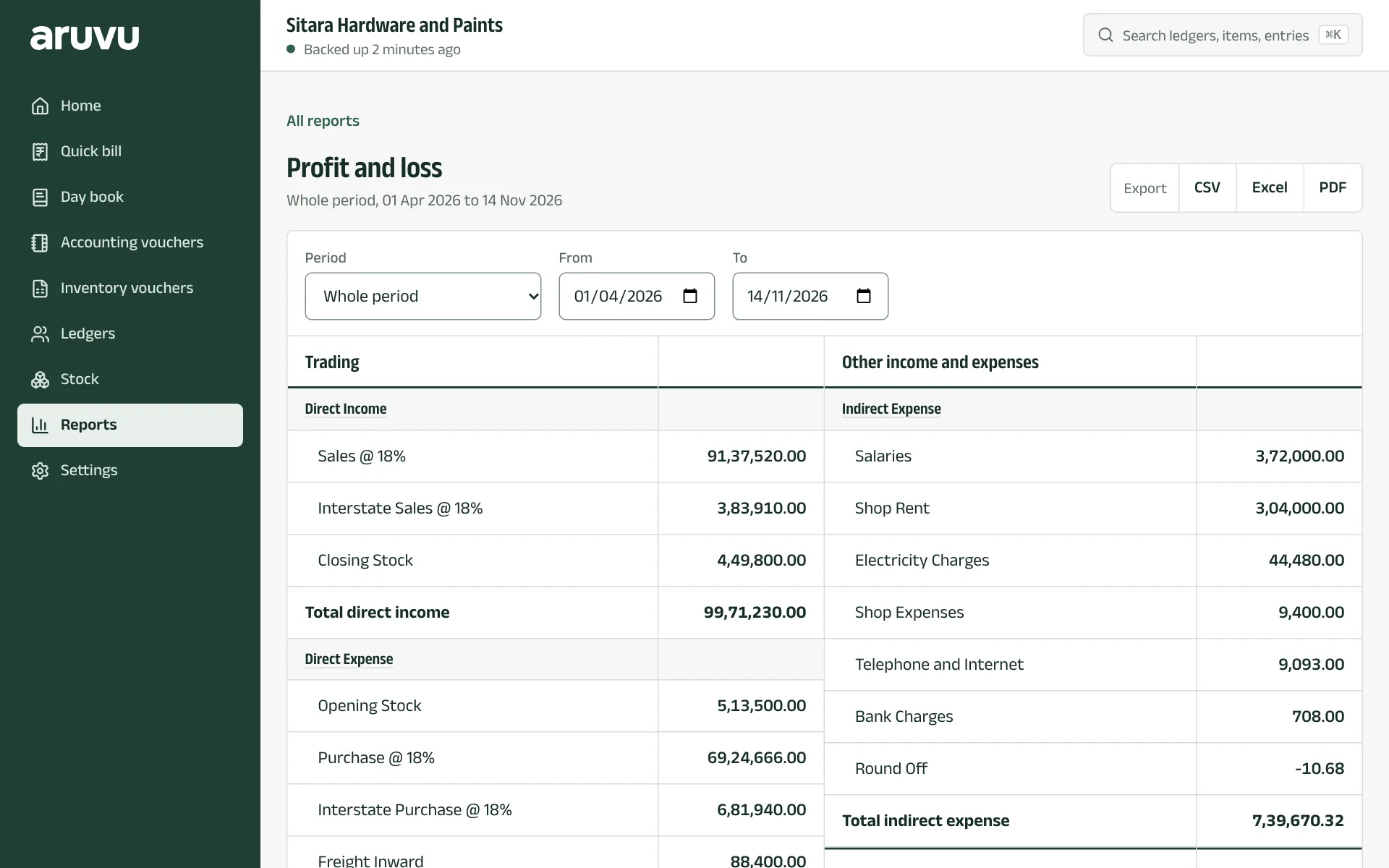
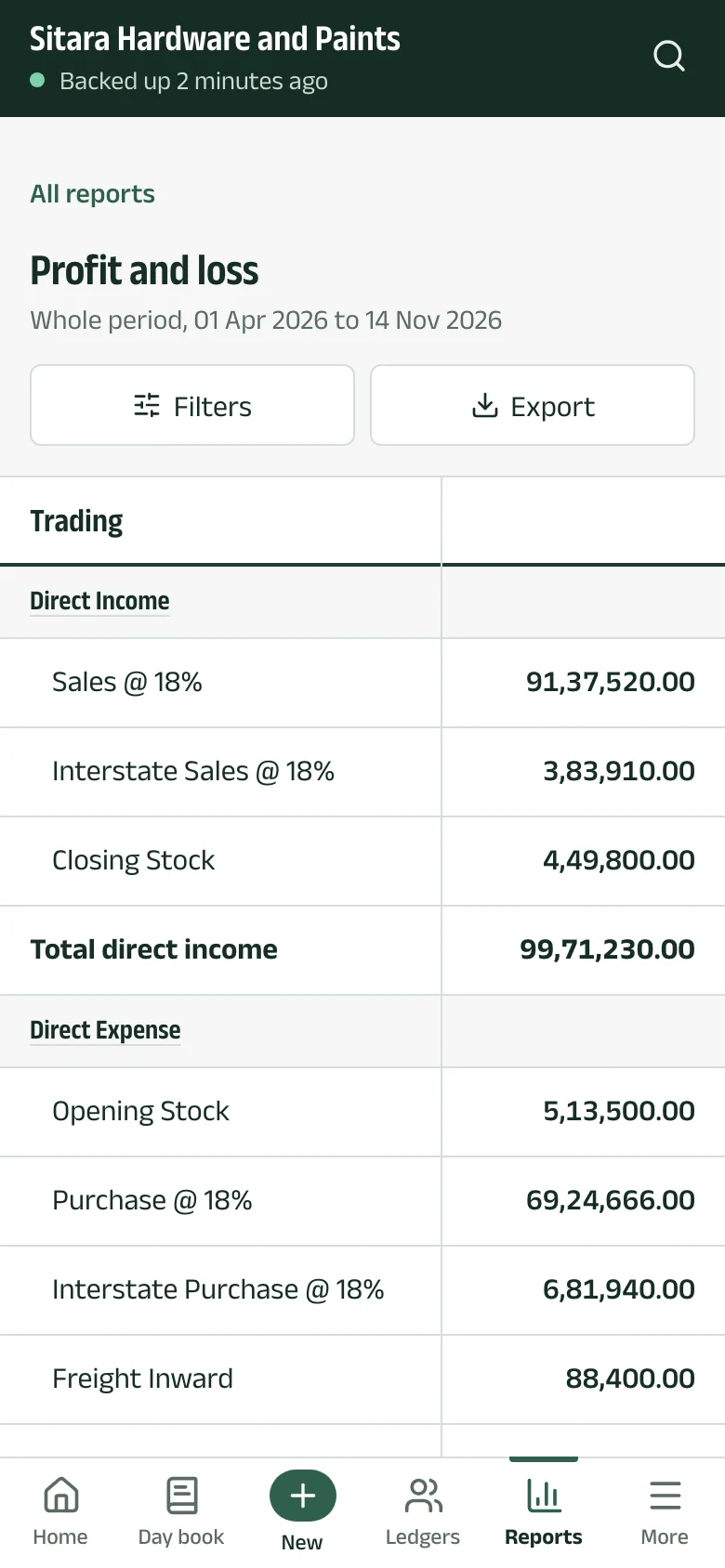
Profit and loss shows trading first (sales, purchases, opening and closing stock, gross profit), then other income and expenses and the net profit. Pick a Period, such as a quarter or a month, or set From and To.
-
Step 3: Balance sheet and trial balance
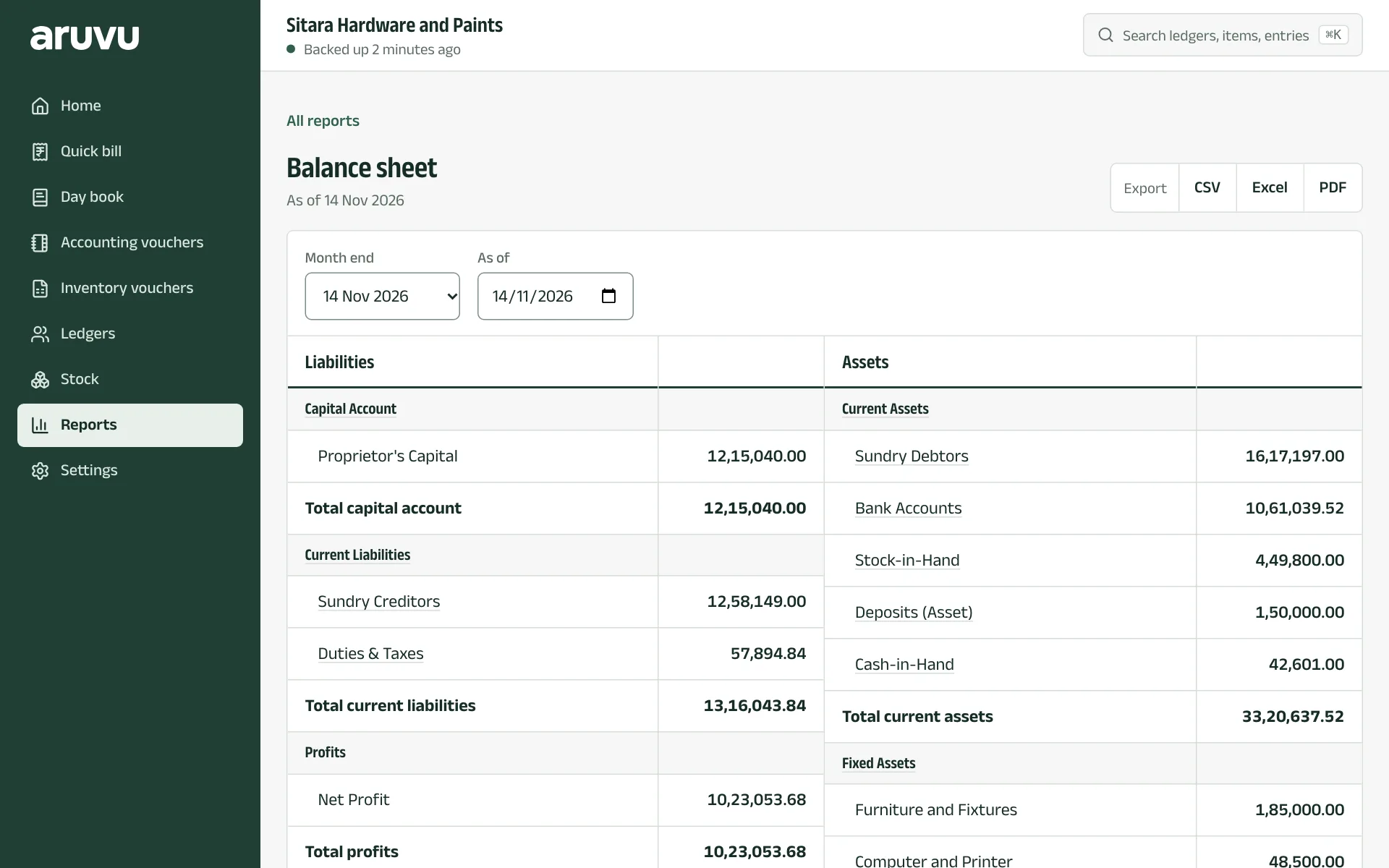
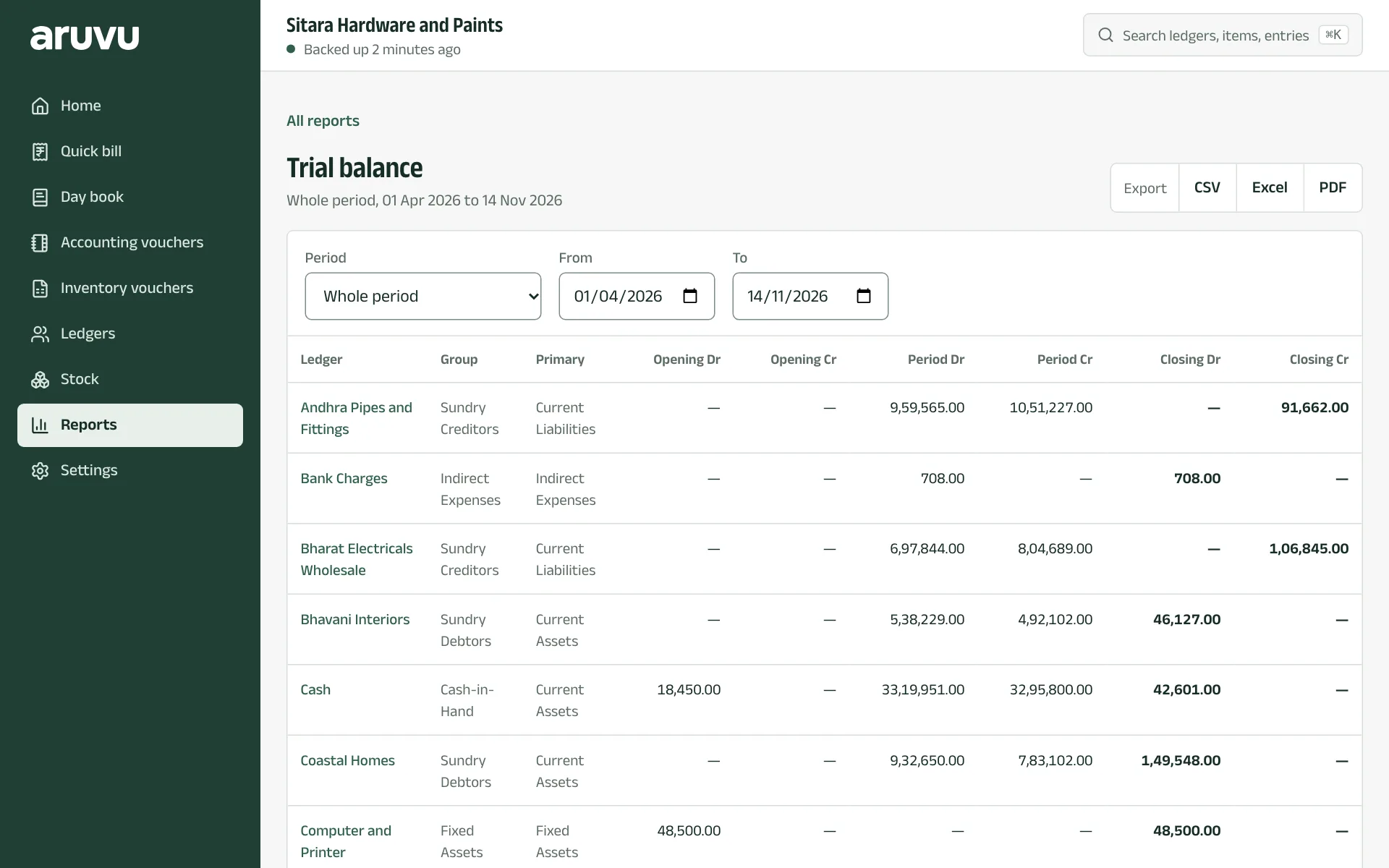
Balance sheet lists liabilities and assets as of a date; Month end picks the last day of a month. Trial balance shows each ledger's opening, period and closing debits and credits, and Group summary the same by group.
Questions
- Why does my report say a backup is missing stock values?
- Financial statements need the stock values that a recent backup records. Back up again from the shop computer and open the report once more.
The pictures show Sitara Hardware and Paints, an invented shop. Its customers, suppliers and figures are made up.