
GST sales, purchase and tax liability reports
Before you file, see the month's output tax, input tax and what is payable, straight from the vouchers in Tally.
-
Step 1: GST sales summary
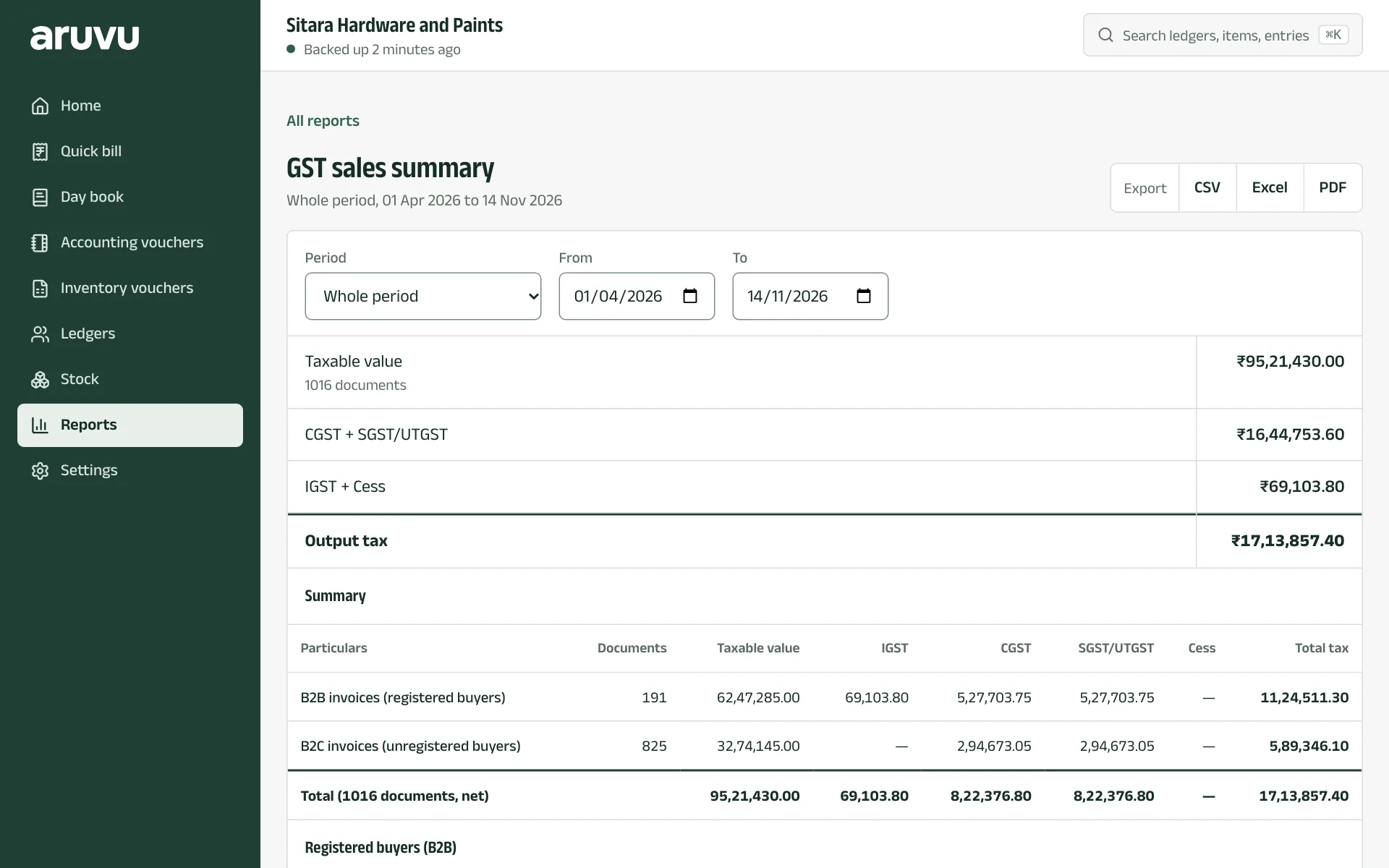
In Reports, under GST, open GST sales summary. It shows the taxable value and tax for B2B invoices to registered buyers and B2C sales, then by GSTIN, by rate and by HSN, in the GSTR-1 style.
-
Step 2: GST tax liability
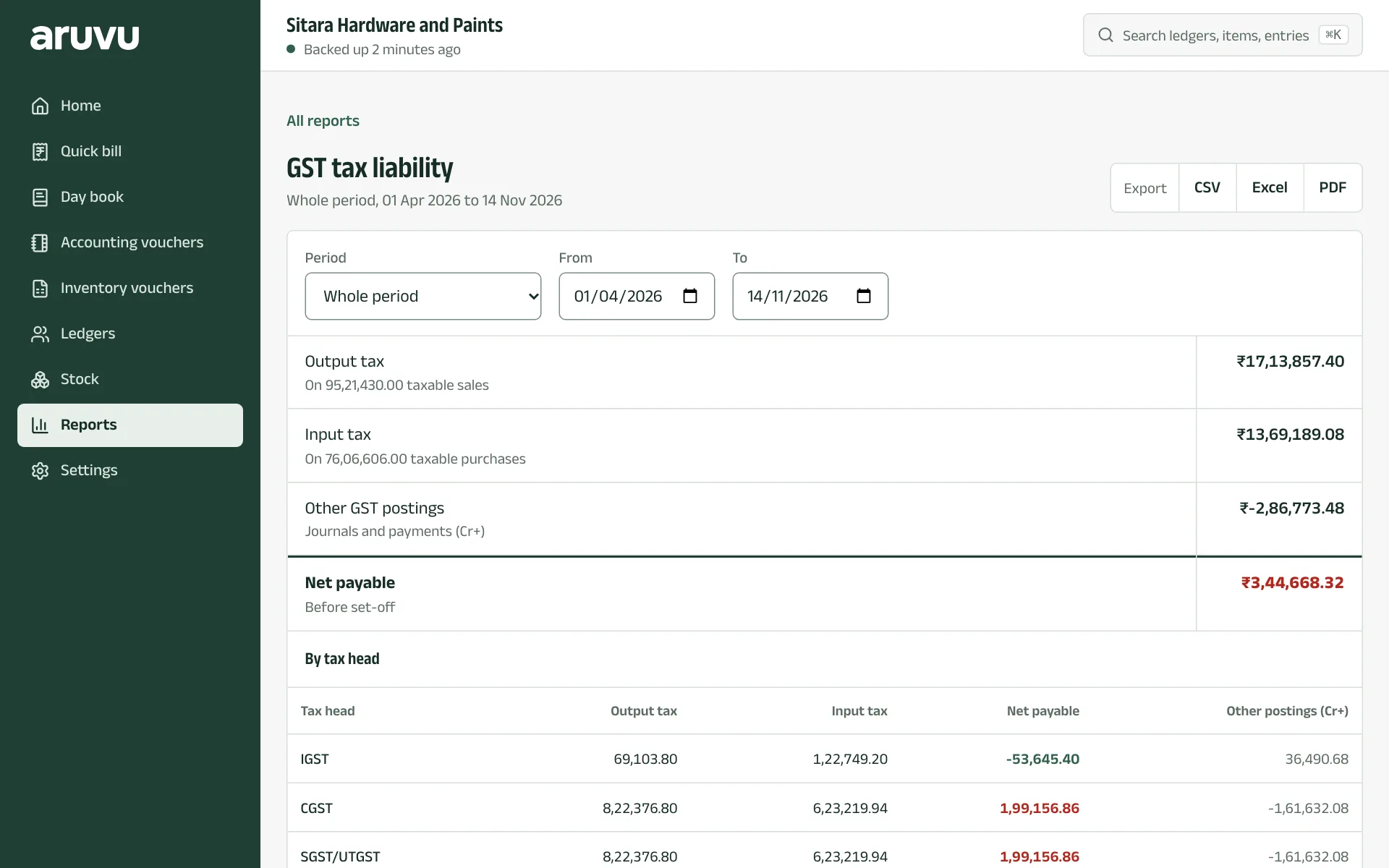
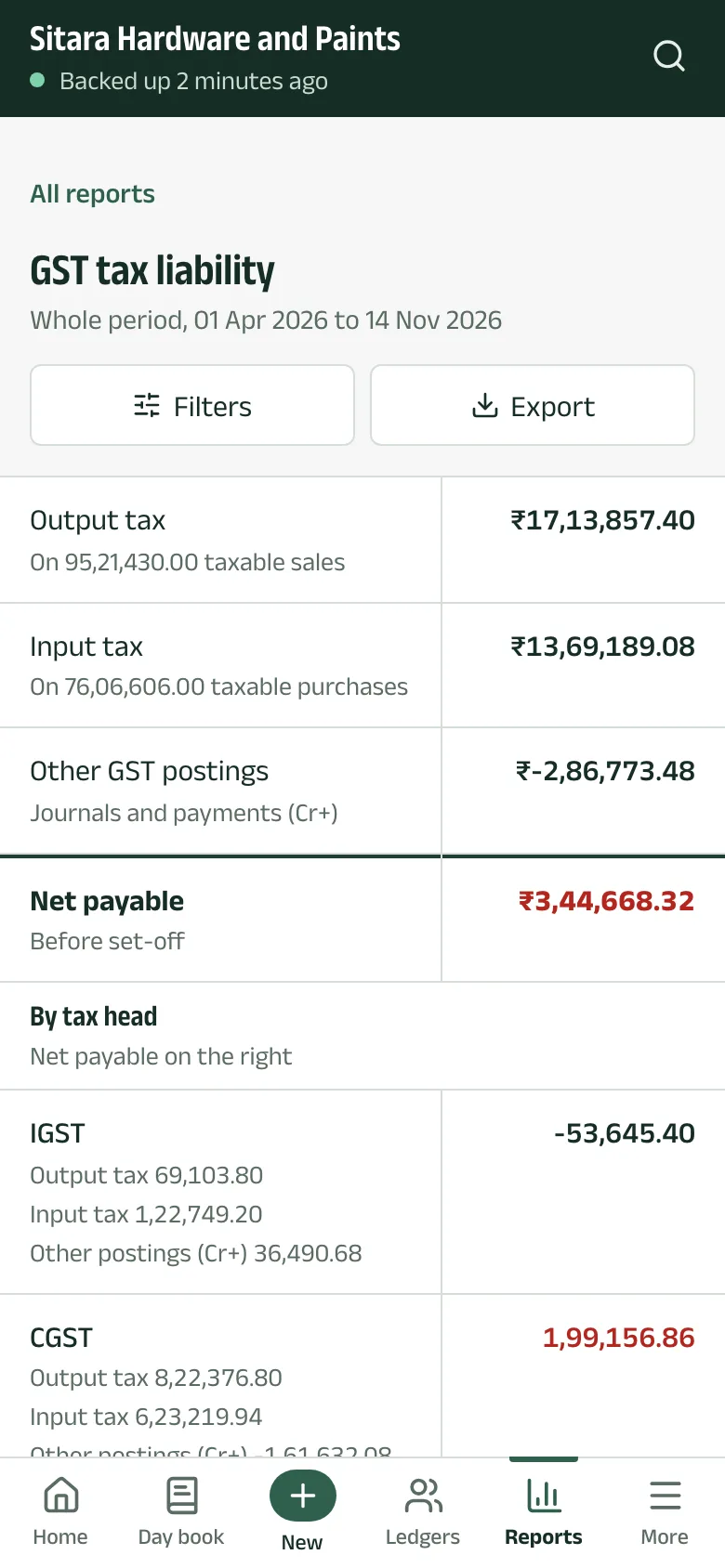
GST tax liability sets output tax against input tax for each head (IGST, CGST, SGST/UTGST, cess) and shows the net payable before set-off, in the GSTR-3B style. Payments and journals that touch GST ledgers appear separately as other GST postings.
Choose Months in Period to look at one return period.
-
Step 3: GST purchase summary
GST purchase summary lists inward supplies and input tax by supplier GSTIN, rate and HSN.
Questions
- Can I file my return from Aruvu?
- No. These reports help you check the figures; file on the GST portal or through your accountant.
- How does Aruvu know which ledgers are GST?
- From the ledgers under Duties & Taxes: their names (IGST, CGST, SGST, cess) and the GST duty head set in Tally.
The pictures show Sitara Hardware and Paints, an invented shop. Its customers, suppliers and figures are made up.