
Check stock and item movements
How many buckets of emulsion are left? The Stock screen answers from the latest backup.
-
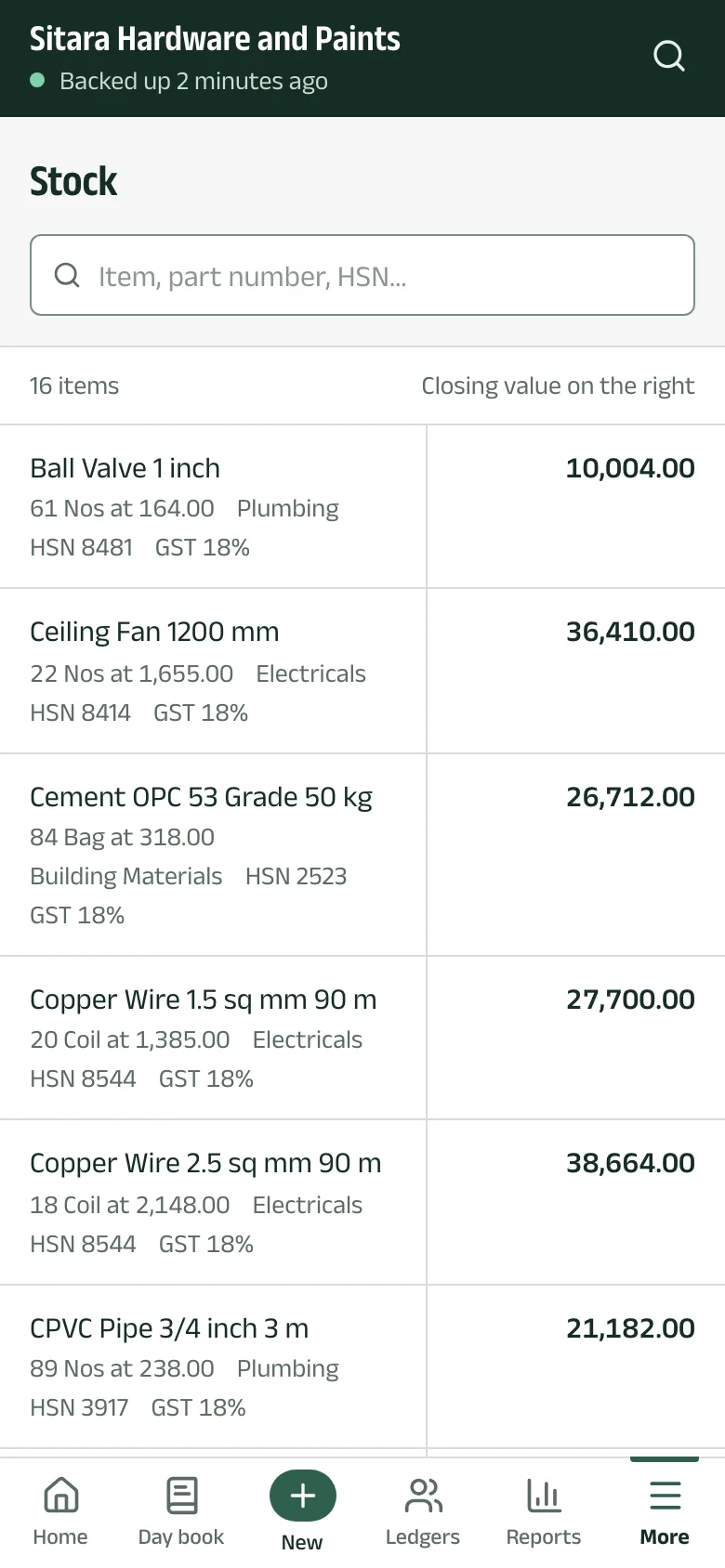
Step 1: Open Stock
Tap Stock (under More on a phone). Each item shows its closing quantity and rate, its group, HSN and GST rate, with the closing value on the right. Search by name, part number or HSN.
-
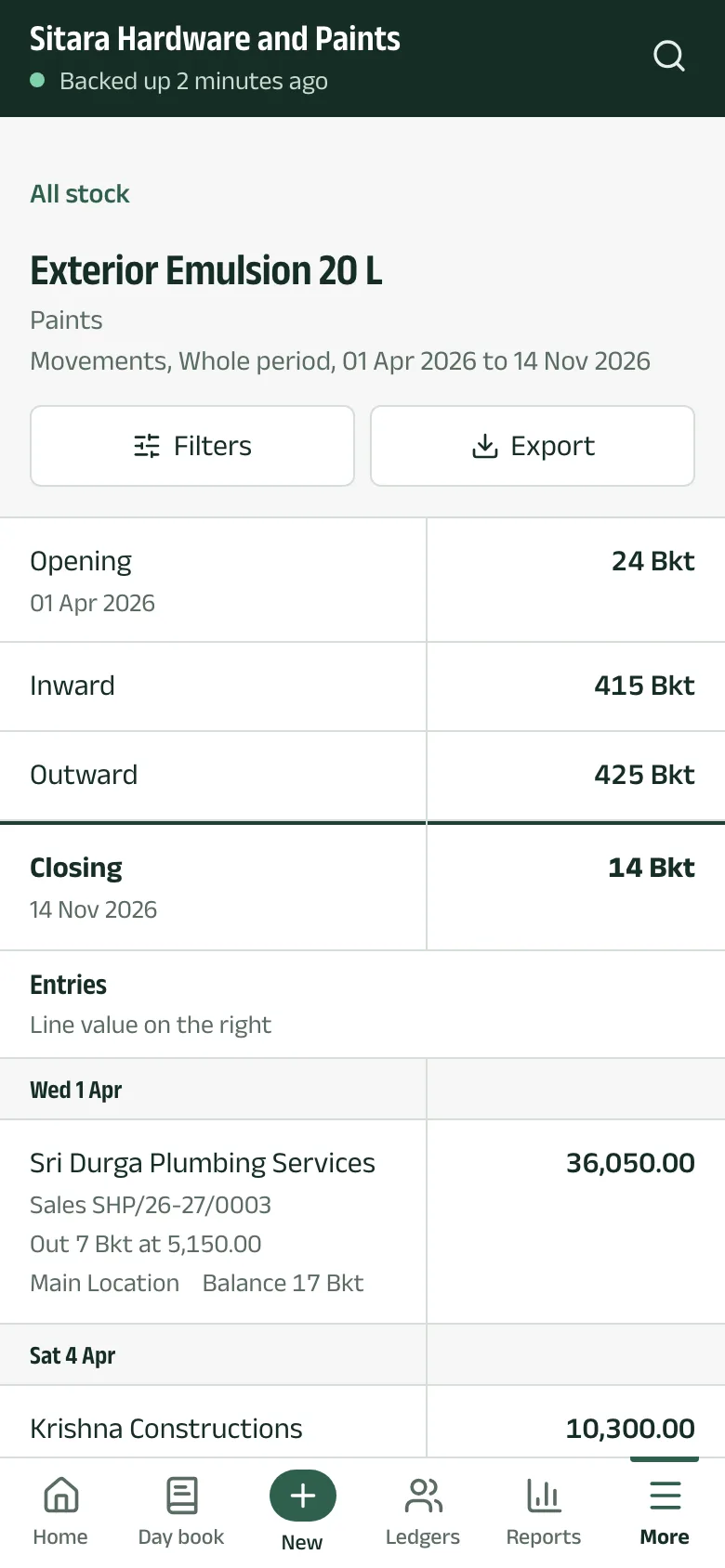
Step 2: Open an item
Tap an item for its opening quantity, what came in and went out, its closing quantity, and every entry that moved it.
-
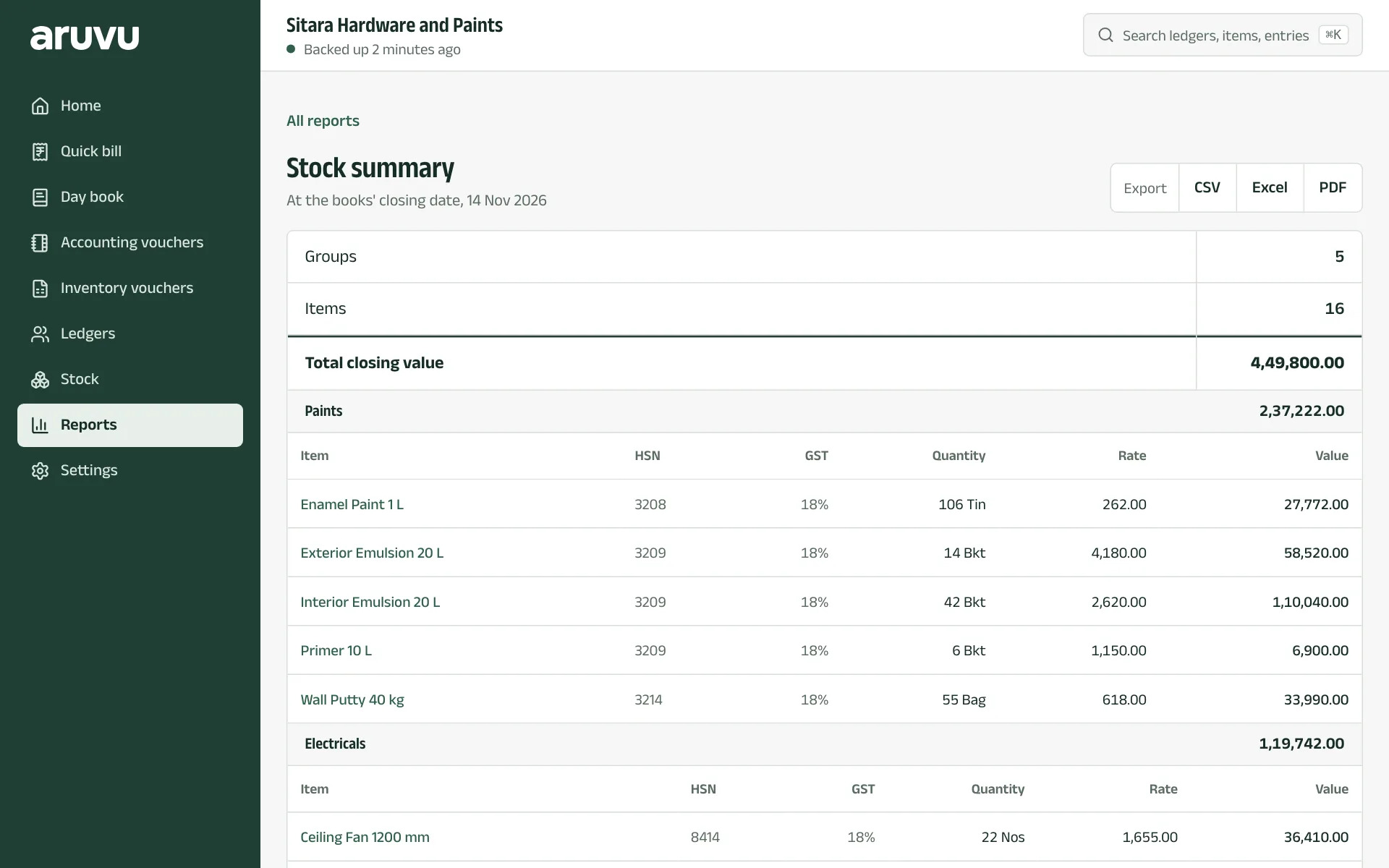
Step 3: Stock summary
In Reports, Stock summary lists every item by stock group with quantity, rate and value at the books' closing date, and exports like any report.
The pictures show Sitara Hardware and Paints, an invented shop. Its customers, suppliers and figures are made up.